plot_amce(fit, dummies = c("cand_genderFemale",
                            "agendaComplete Overhaul",
                            "prior_officeYes"))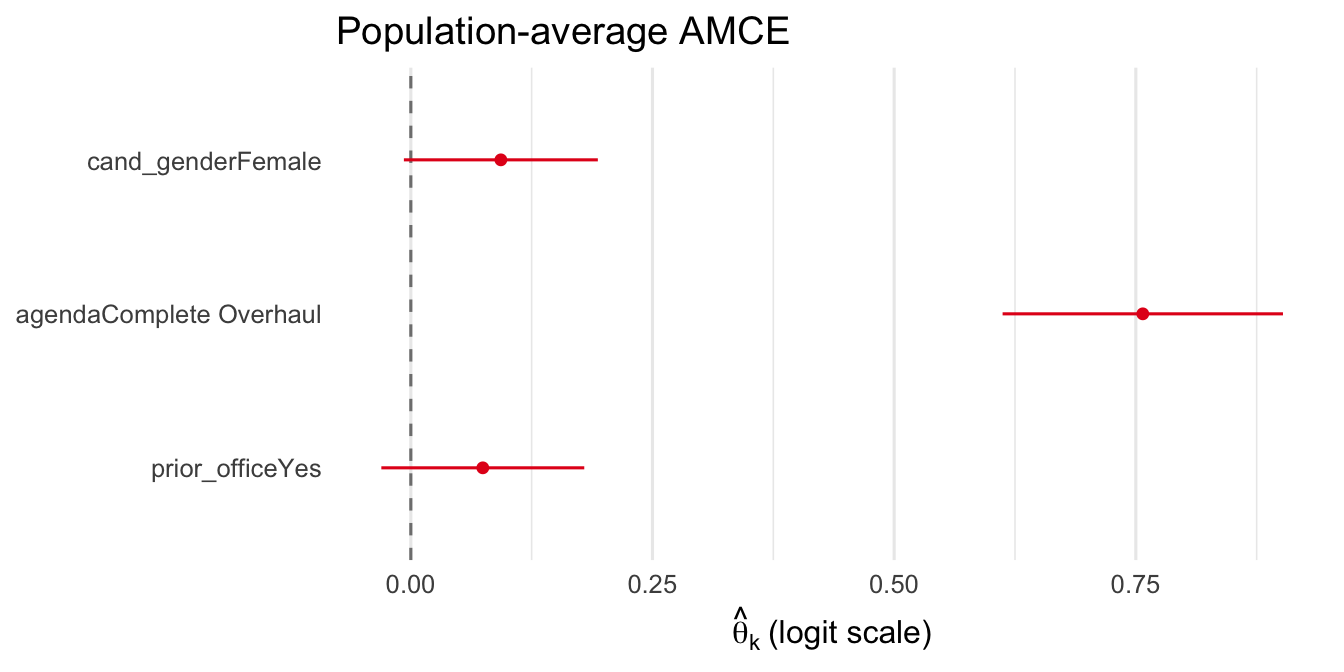
sconjoint ships six plot functions. All return plain ggplot objects that can be further customized with +. This chapter is parameter-first: it lists every customization option, grouped by purpose, and demonstrates each in isolation on a single pre-fitted object.
| Function | Purpose |
|---|---|
plot(fit, "beta_ridgelines") |
Per-respondent \(\hat\beta(Z)\) density ridgelines |
plot(fit, "loss_trace") |
Per-fold training loss curves |
plot_amce(fit) |
Population-average \(\hat\theta\) coefficient plot |
plot_fraction(fit) |
Fraction favor / oppose diverging bar chart |
plot_hetero(fit) |
Preference heterogeneity bar chart |
plot_subgroup(fit, subgroup) |
Subgroup AMCE comparison |
plot_importance(fit) |
Attribute importance ridgelines |
All functions share a common set of customization parameters. Function-specific parameters are noted in parentheses.
| Parameter | Applies to | Purpose | Default |
|---|---|---|---|
dummies |
all | Character vector: which dummies to show and in what order | NULL (all) |
labels |
all | Named character vector: display names for dummies | NULL (raw names) |
groups |
all | Named character vector: attribute group for faceting | NULL (no facets) |
title |
all | Main title | sensible default |
xlab / ylab |
all | Custom axis labels | NULL |
xlim |
all | Numeric(2): x-axis limits | NULL |
theme.bw |
all | Use theme_bw() instead of theme_minimal() |
FALSE |
gridOff |
all | Remove grid lines | FALSE |
legendOff |
all | Hide the legend | FALSE |
legend.pos |
all | Legend position: "bottom", "right", "none", or c(x, y) |
varies |
cex.main |
all | Title font size multiplier | NULL |
cex.axis |
all | Tick label font size multiplier | NULL |
cex.lab |
all | Axis title font size multiplier | NULL |
color |
plot_amce |
Point/line color | "#E41A1C" |
size / fatten |
plot_amce, plot_subgroup |
Point size and fatten factor | 0.4 / 2 |
colors |
plot_fraction, plot_subgroup |
Named color vector | defaults |
alpha / bar.width |
plot_fraction |
Bar transparency and width | 0.85 / 0.65 |
gradient |
plot_hetero |
c(low, high) fill gradient colors |
blue scale |
sig.color / sig.shape |
plot_hetero |
Marker for significant dummies | "#B2182B" / 18 |
dodge.width |
plot_subgroup |
Spacing between groups | 0.6 |
Use dummies to show only a subset of attribute dummies. The display order follows the order of the dummies vector.
plot_amce(fit, dummies = c("cand_genderFemale",
"agendaComplete Overhaul",
"prior_officeYes"))
This works identically across all plot functions:
plot_fraction(fit, dummies = c("cand_genderFemale",
                                "agendaComplete Overhaul"))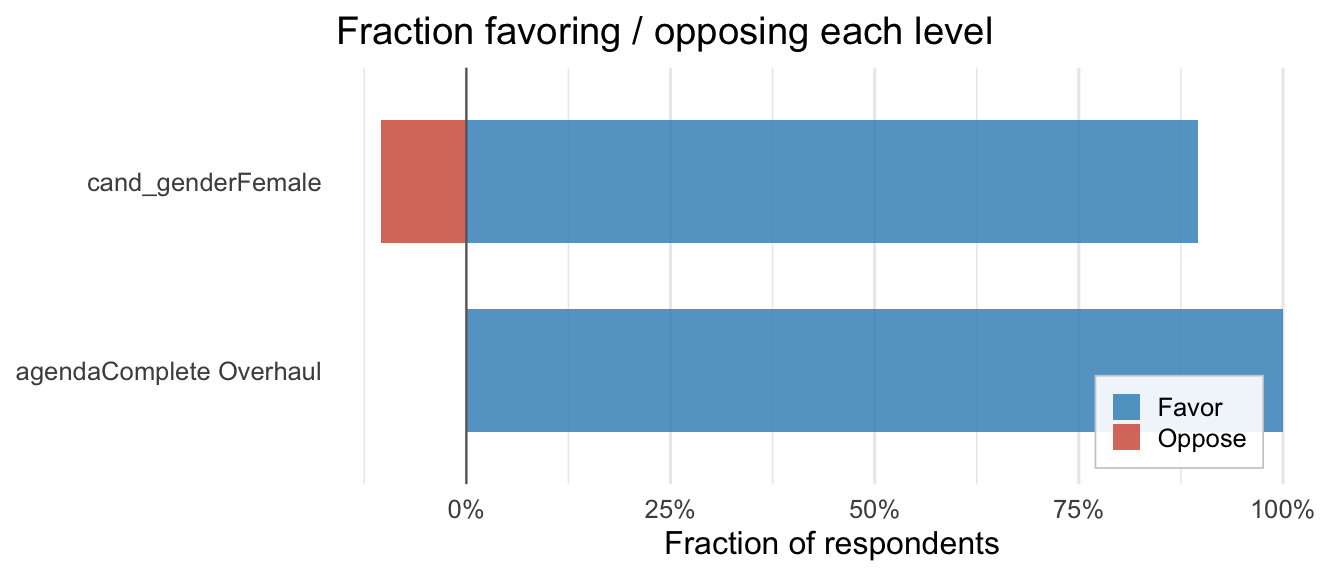
Use labels to replace raw dummy names with human-readable text. Pass a named character vector; any dummy not in labels keeps its original name.
my_labels <- c(
  "agendaModerate Changes"   = "Moderate Changes",
  "agendaComplete Overhaul"  = "Complete Overhaul",
  "cand_genderFemale"        = "Female candidate",
  "prior_officeYes"          = "Prior office",
  "talentHard-Working"       = "Hard-Working",
  "talentCollaborative"      = "Collaborative"
)

plot_amce(fit, labels = my_labels)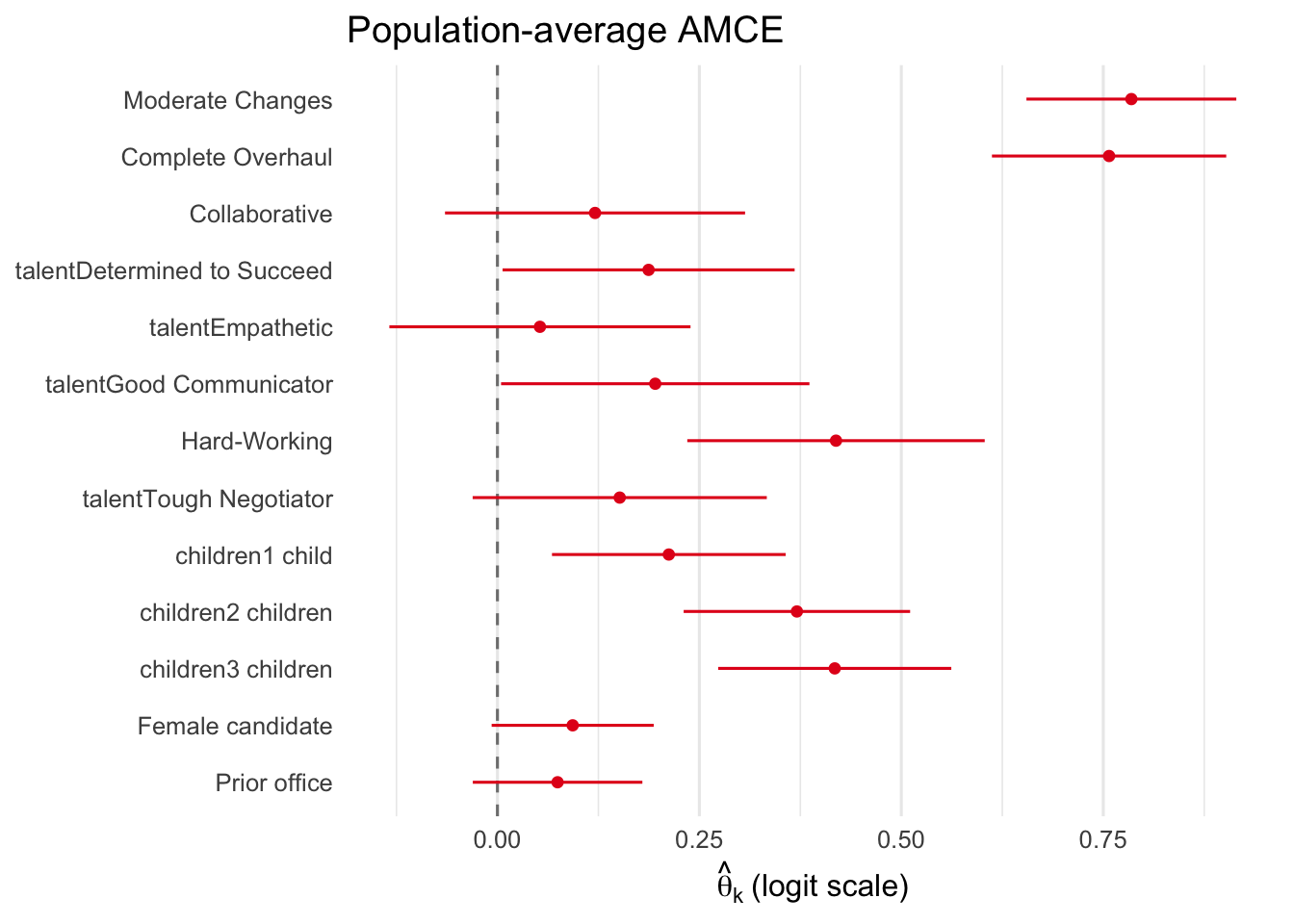
Combined with dummies for a focused, publication-ready figure:
plot_amce(fit,
          dummies = c("cand_genderFemale", "agendaComplete Overhaul"),
          labels = c("cand_genderFemale" = "Female candidate",
                     "agendaComplete Overhaul" = "Complete Overhaul"),
          title = "Key attributes")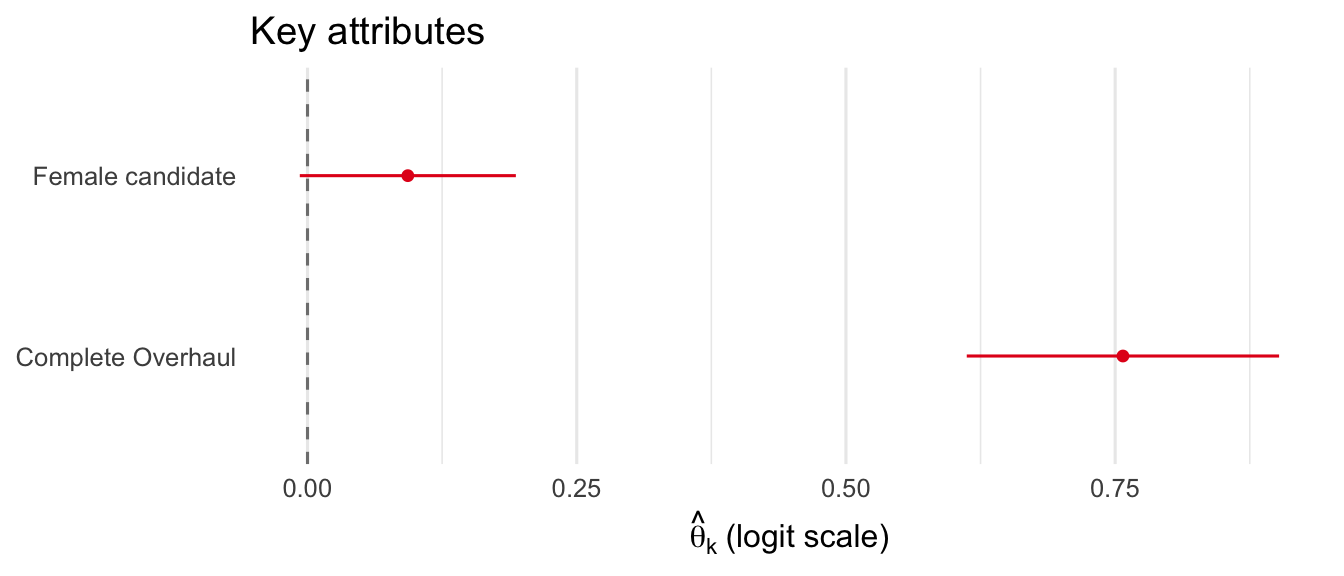
Use groups to facet the plot by attribute groups — essential for publication-quality figures.
sw_groups <- c(
  "agendaModerate Changes"  = "Agenda",
  "agendaComplete Overhaul" = "Agenda",
  "talentCollaborative"     = "Talent",
  "talentDetermined to Succeed" = "Talent",
  "talentEmpathetic"        = "Talent",
  "talentGood Communicator" = "Talent",
  "talentHard-Working"      = "Talent",
  "talentTough Negotiator"  = "Talent",
  "children1 child"         = "Children",
  "children2 children"      = "Children",
  "children3 children"      = "Children",
  "cand_genderFemale"       = "Gender",
  "prior_officeYes"         = "Prior Office"
)

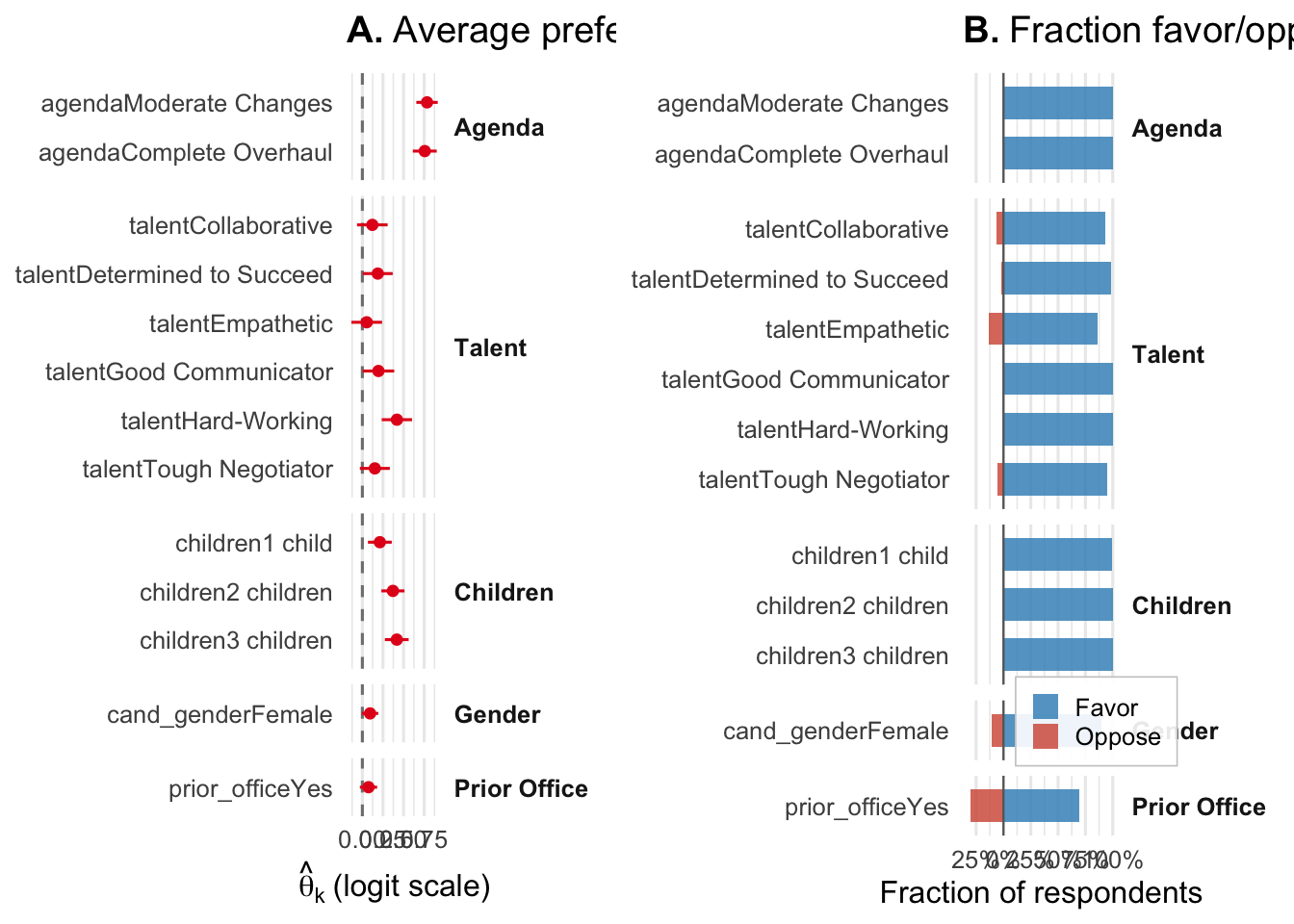
plot_amce(fit, groups = sw_groups)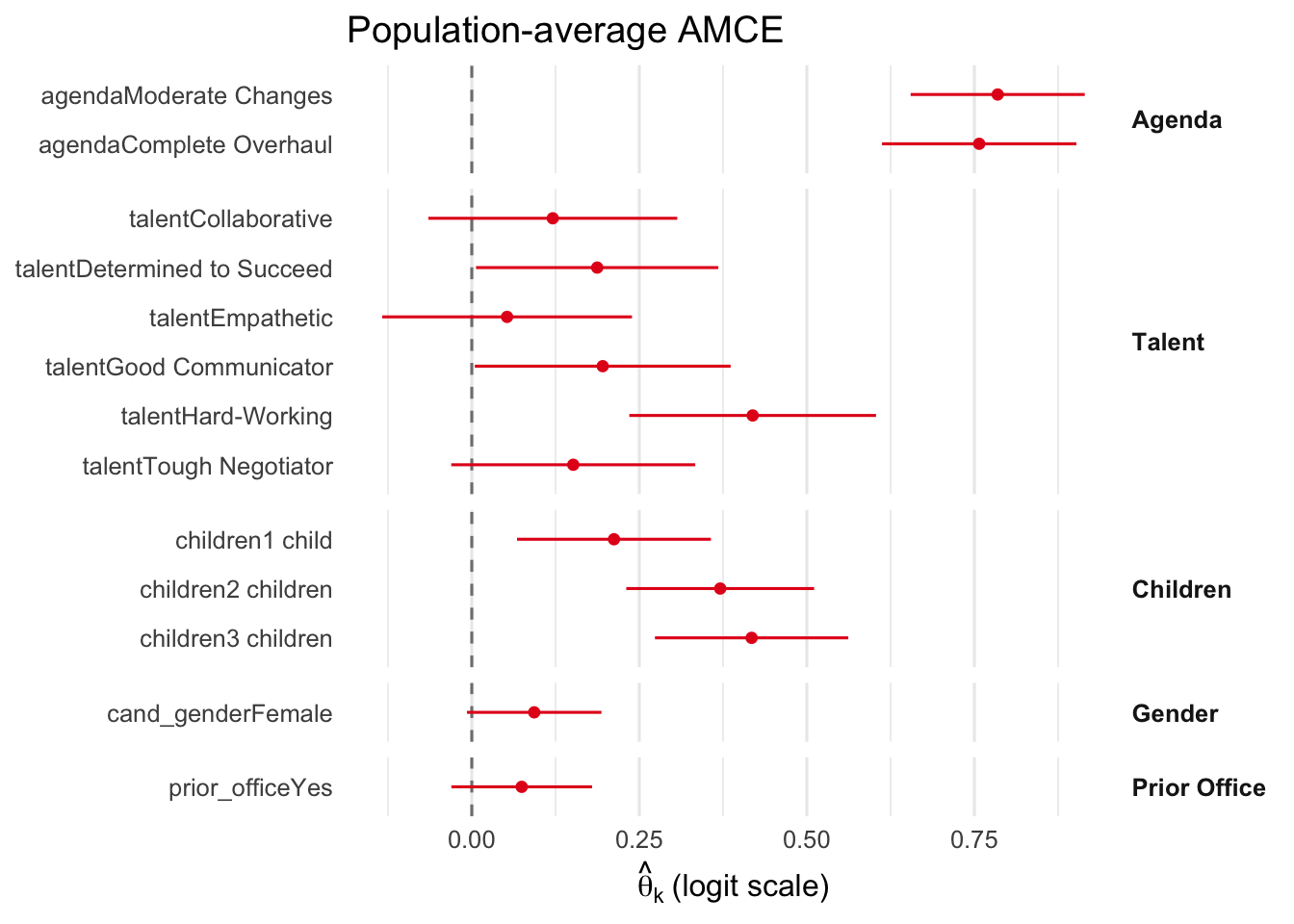
The same groups vector works across all plot functions:
plot_fraction(fit, groups = sw_groups)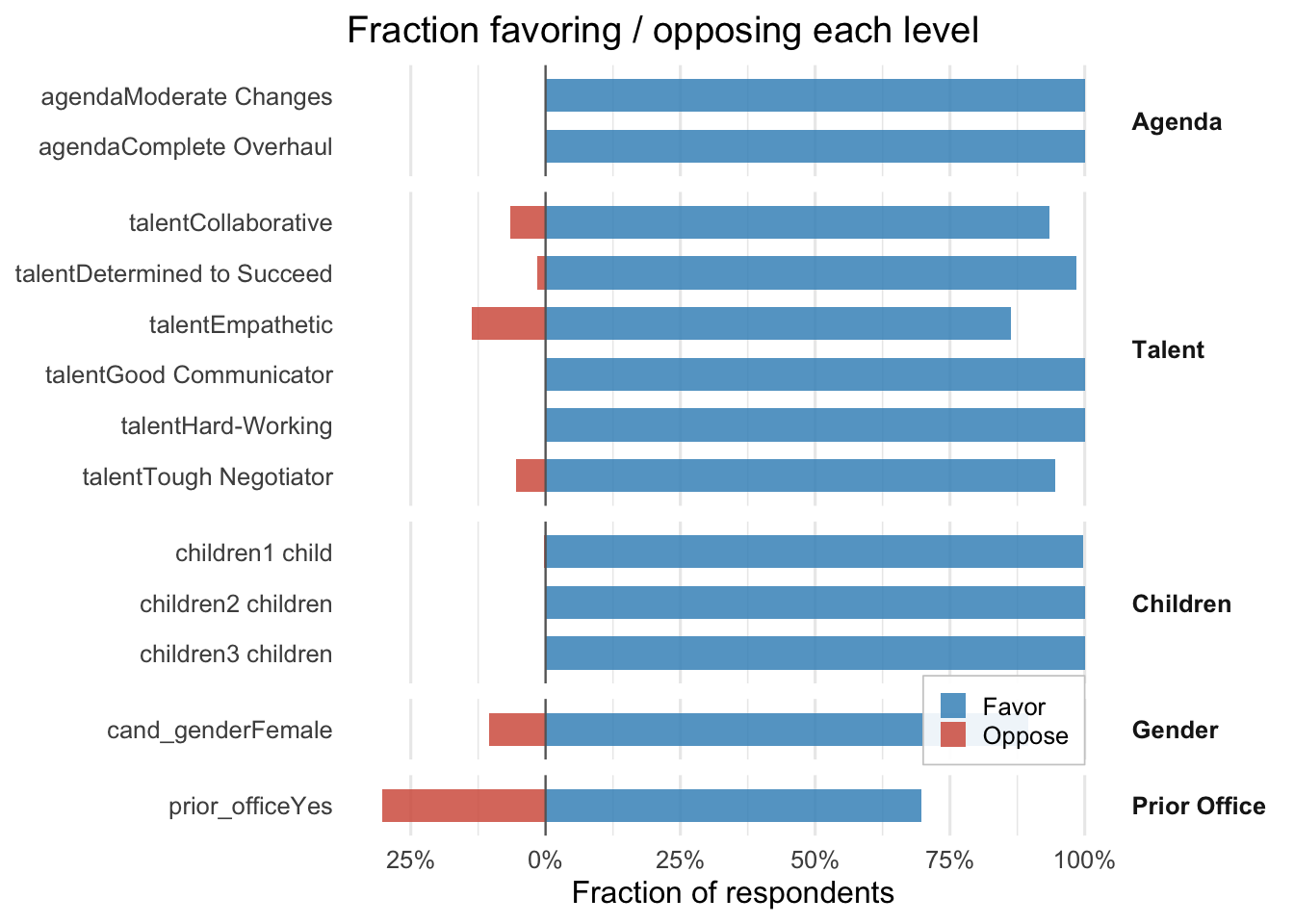
plot_amce(fit, color = "#2166AC", title = "AMCE (blue)")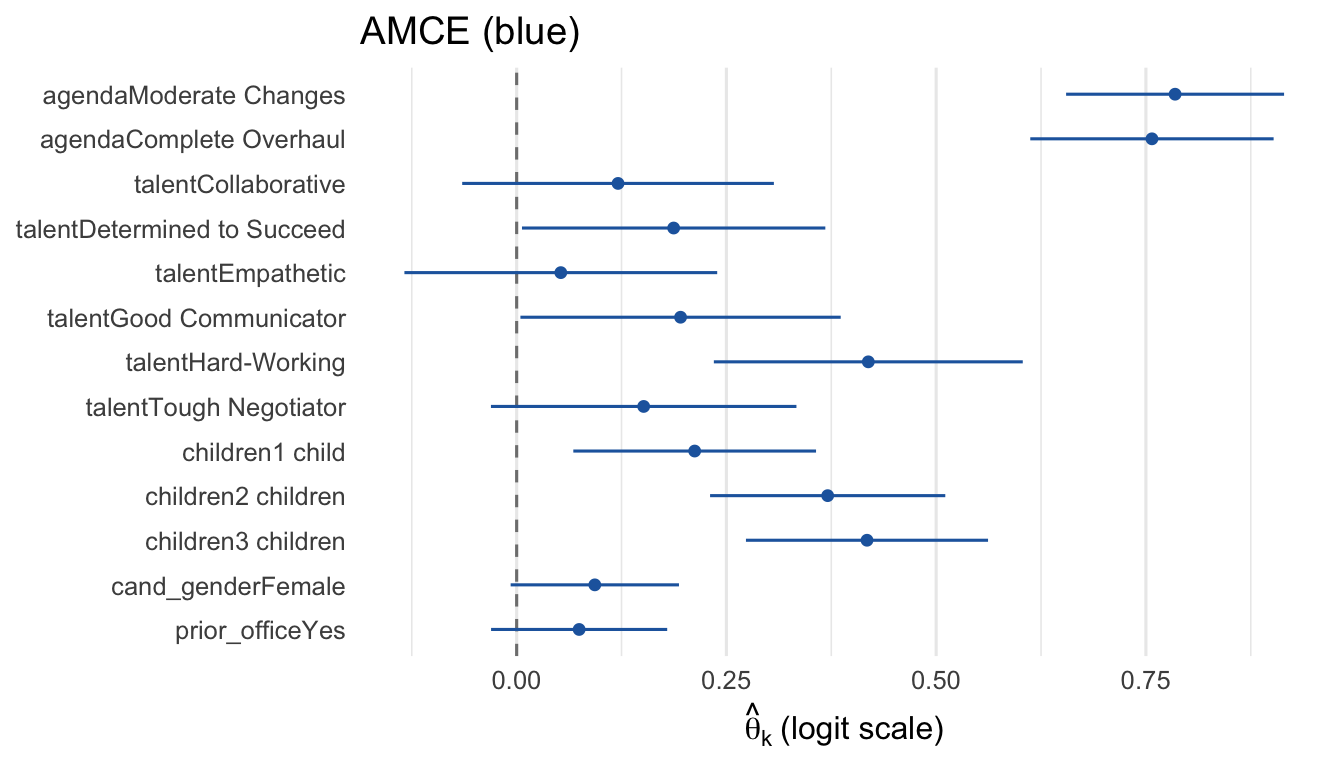
plot_fraction(fit,
              colors = c(Favor = "#1B9E77", Oppose = "#D95F02"),
              title = "Custom fraction colors")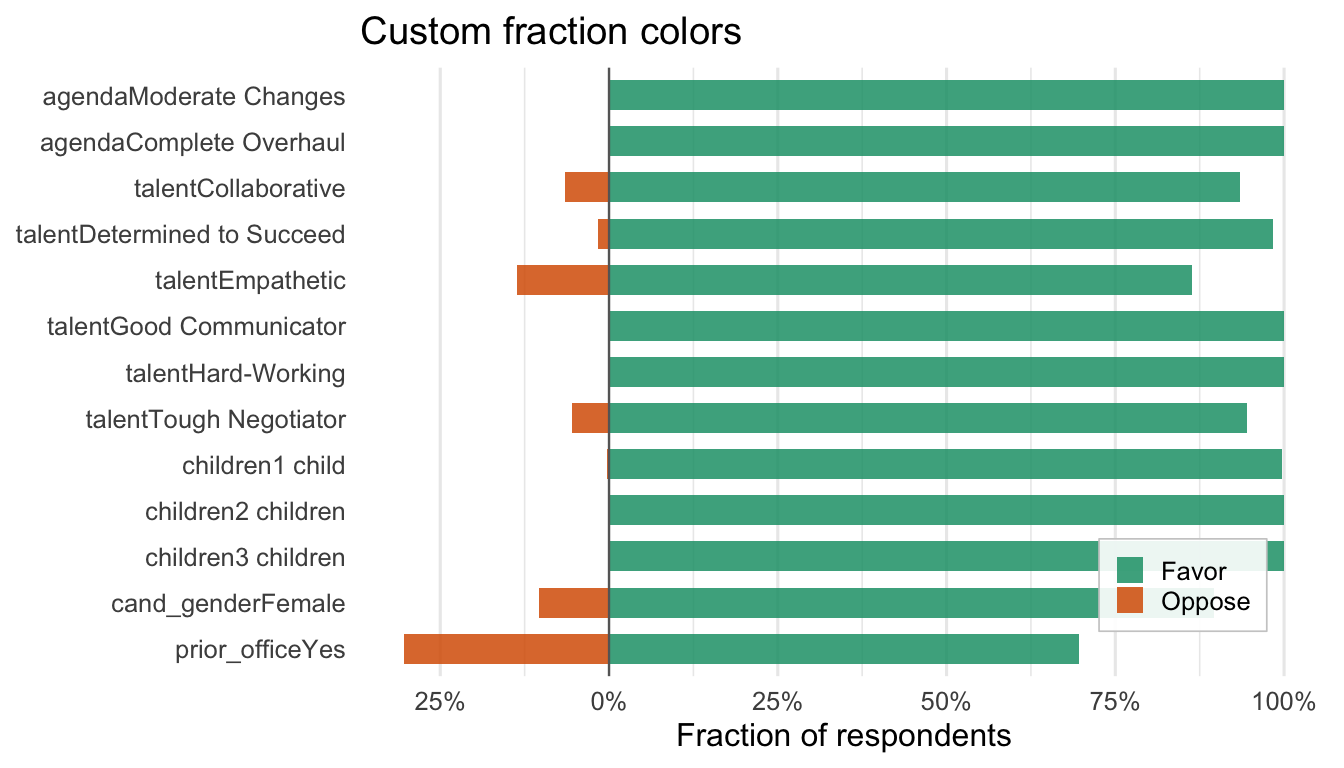
plot_hetero(fit,
            gradient = c(low = "#FEE0D2", high = "#DE2D26"),
            sig.color = "black",
            title = "Red gradient with black markers")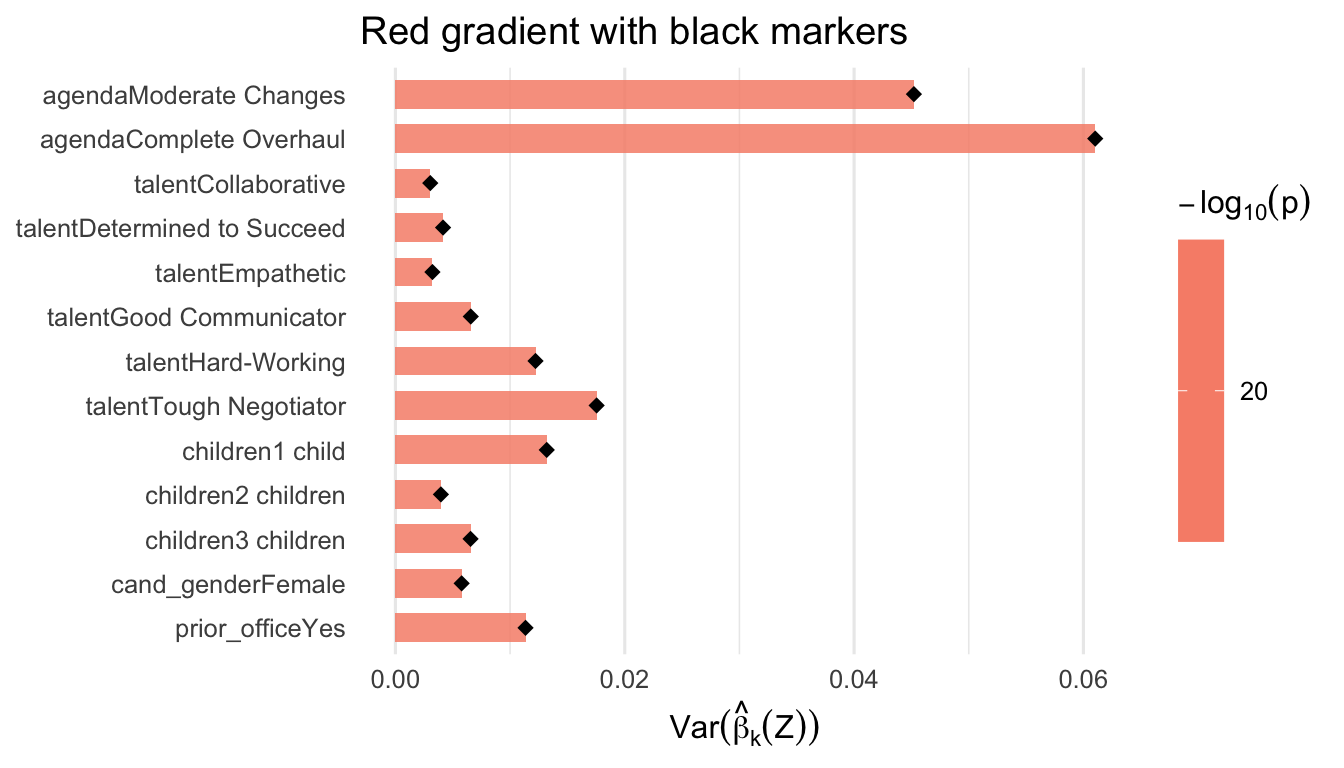
fem <- fit$Z[, "resp_female"] > 0.5
plot_subgroup(fit,
              subgroup = list(Female = fem, Male = !fem),
              colors = c(Female = "#7570B3", Male = "#1B9E77"),
              title = "Custom subgroup colors")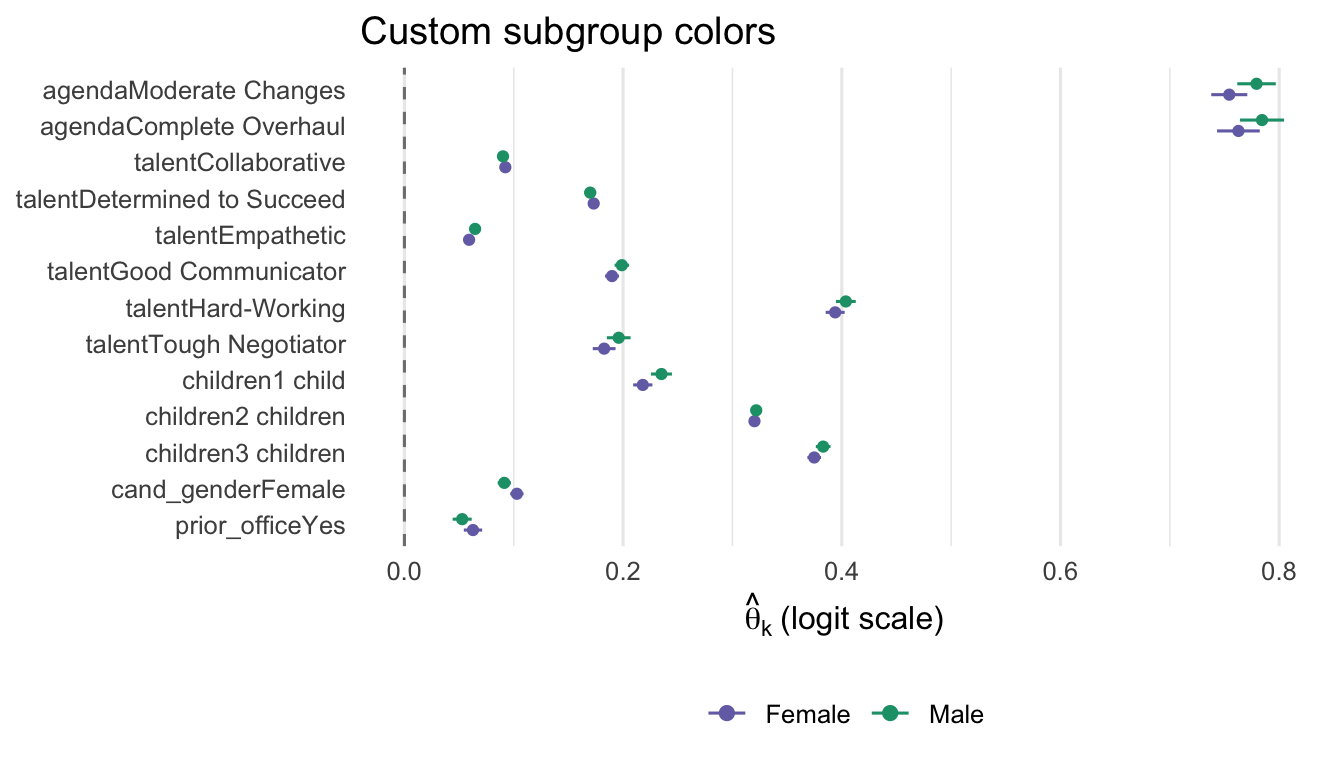
plot_amce(fit,
          title = "Saha-Weeks candidate choice",
          xlab  = "Logit-scale AMCE",
          ylab  = "Attribute level")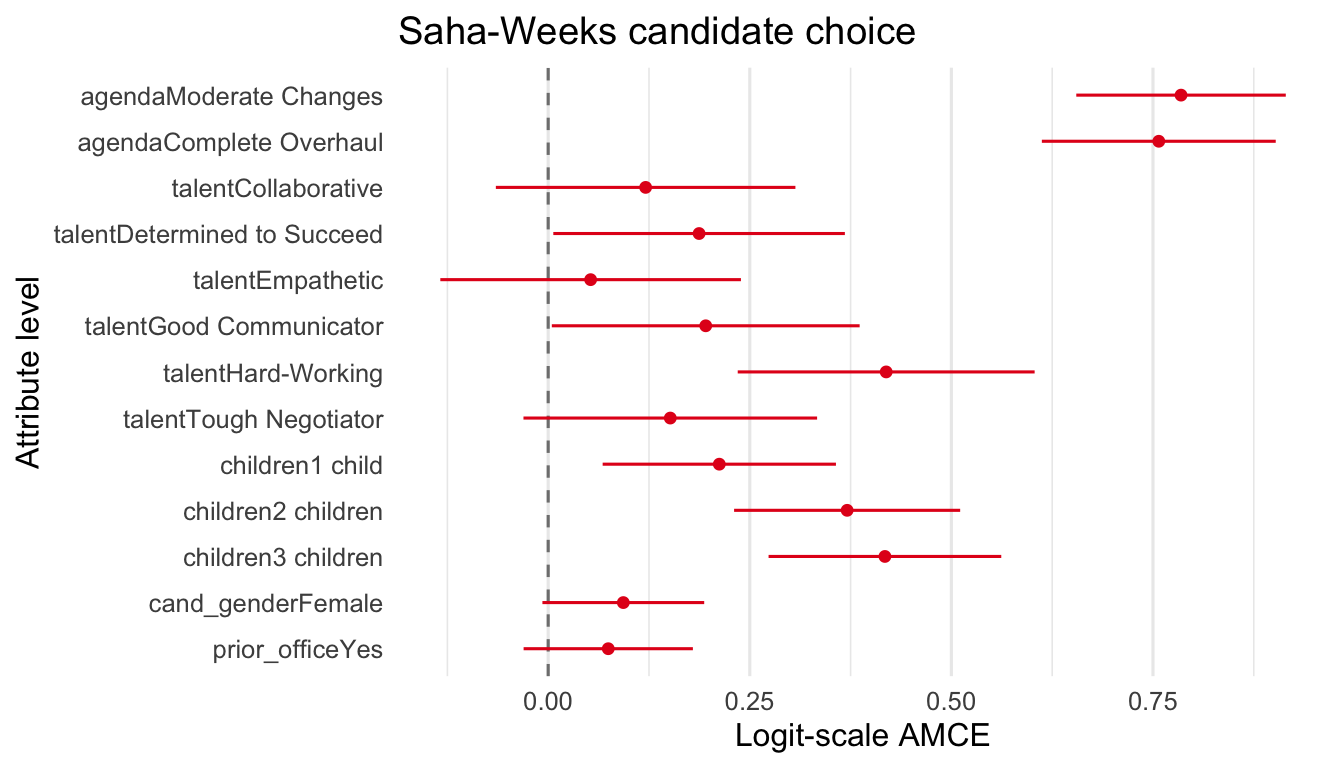
plot_amce(fit, theme.bw = TRUE)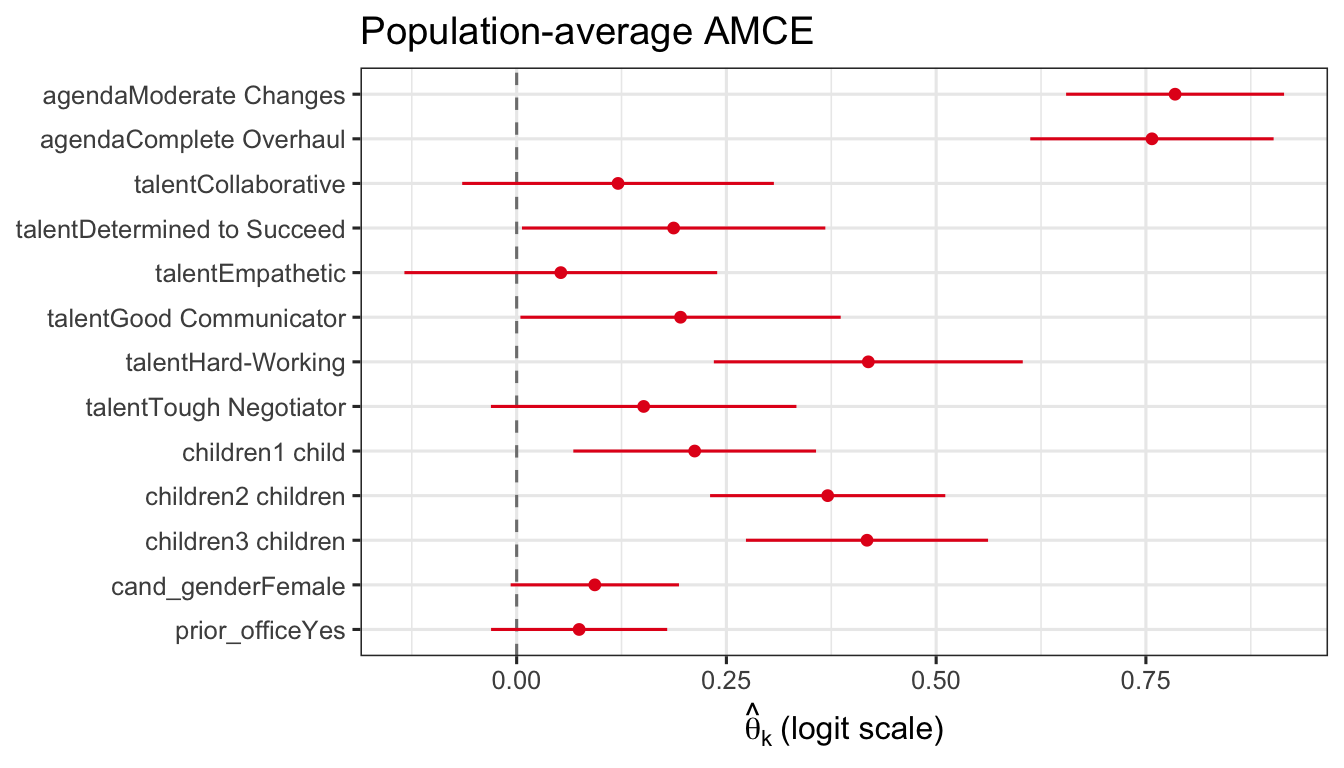
plot_fraction(fit, gridOff = TRUE)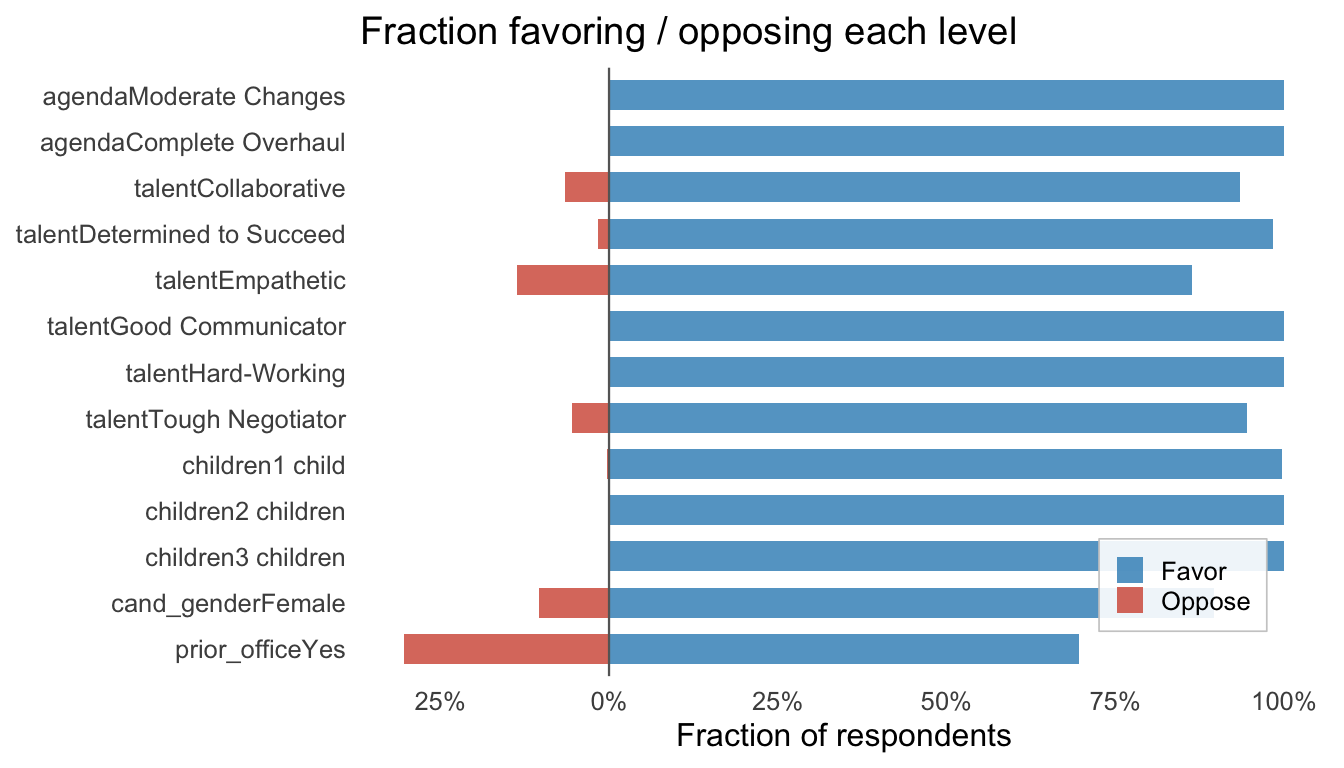
Use cex.main, cex.axis, and cex.lab as multipliers on the base font sizes (14, 11, 12 pt respectively).
plot_amce(fit, cex.main = 1.4, cex.axis = 0.9, cex.lab = 1.1)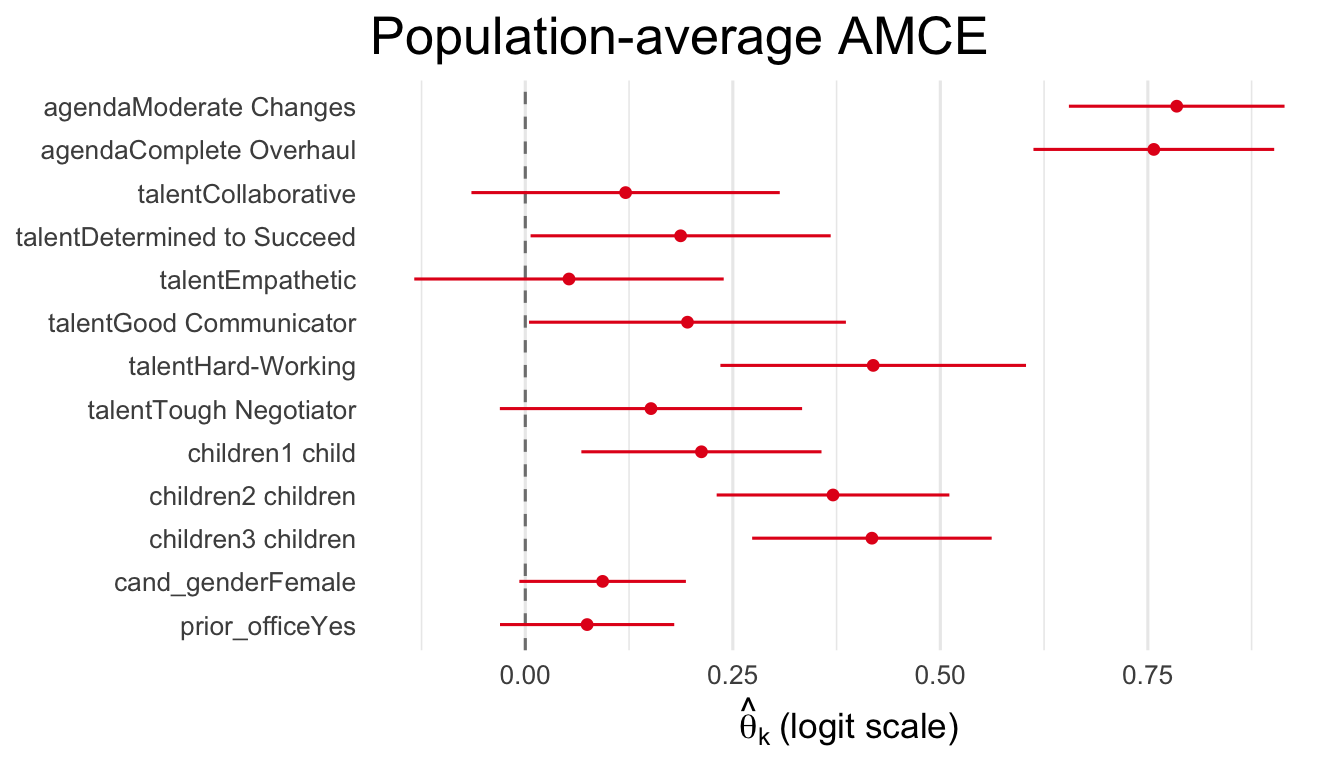
fem <- fit$Z[, "resp_female"] > 0.5
plot_subgroup(fit,
              subgroup = list(Female = fem, Male = !fem),
              legend.pos = "right")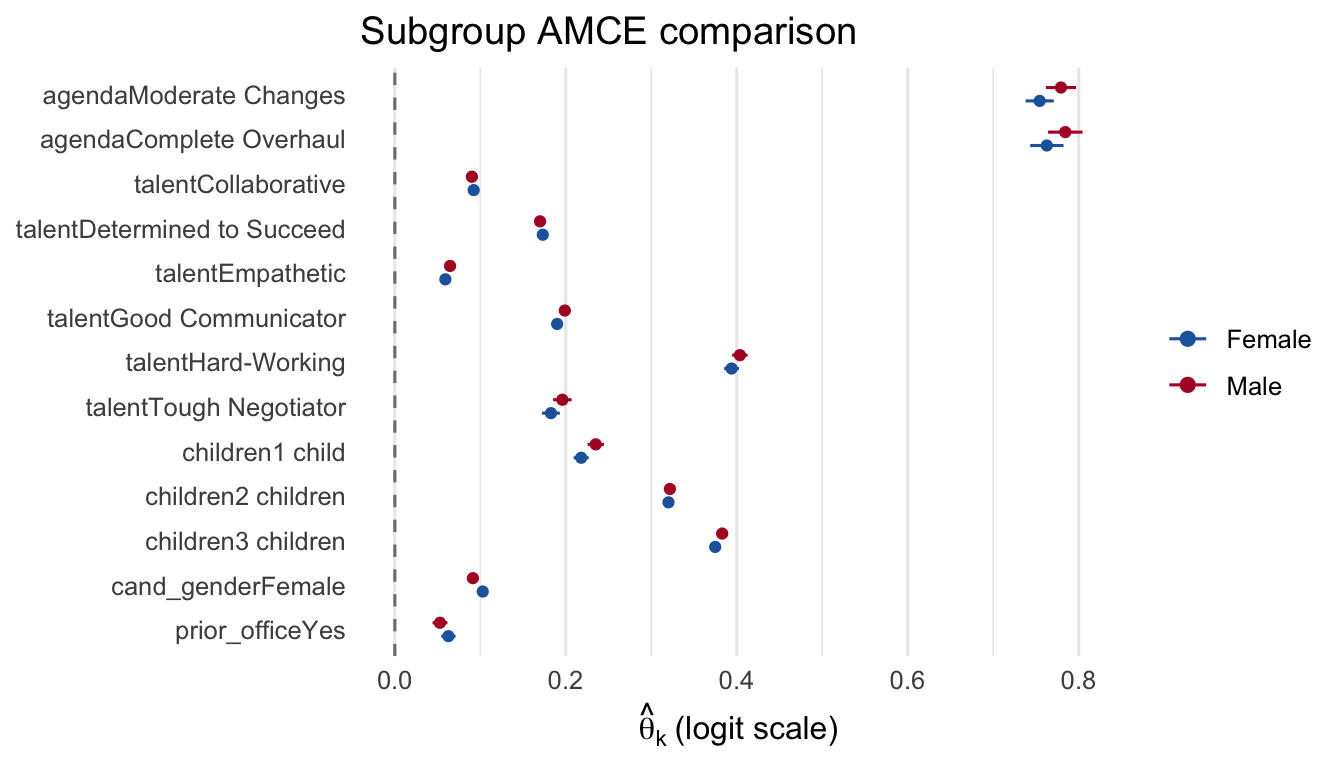
plot_fraction(fit, legendOff = TRUE)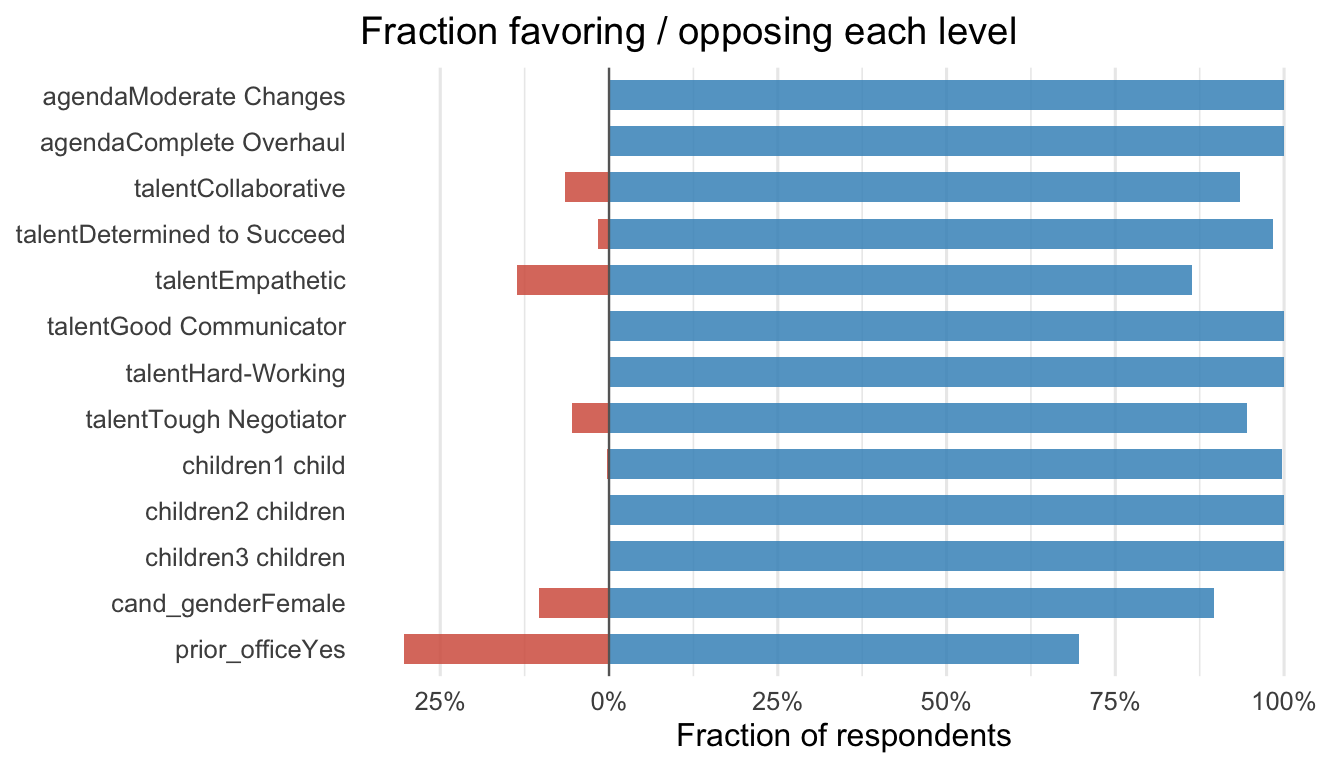
plot_amce(fit, xlim = c(-1.5, 1.5))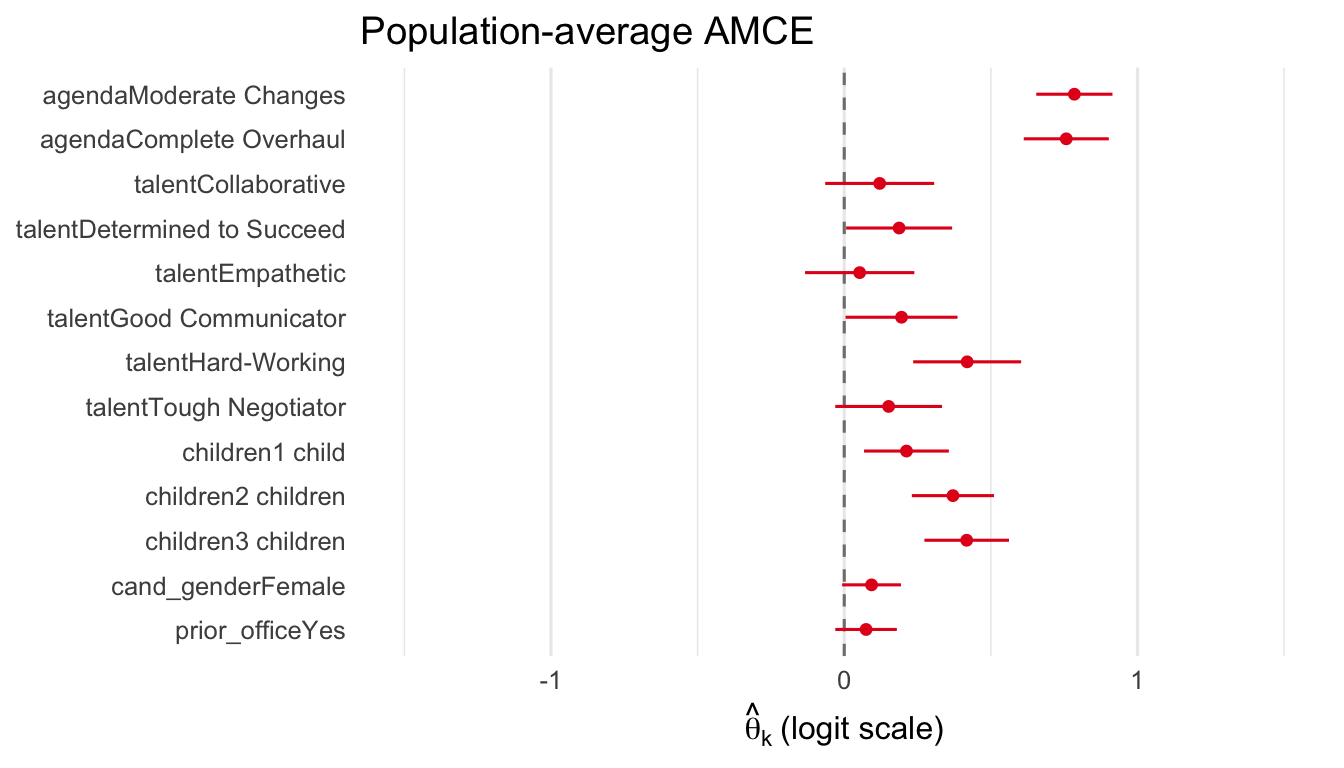
plot_importance(fit)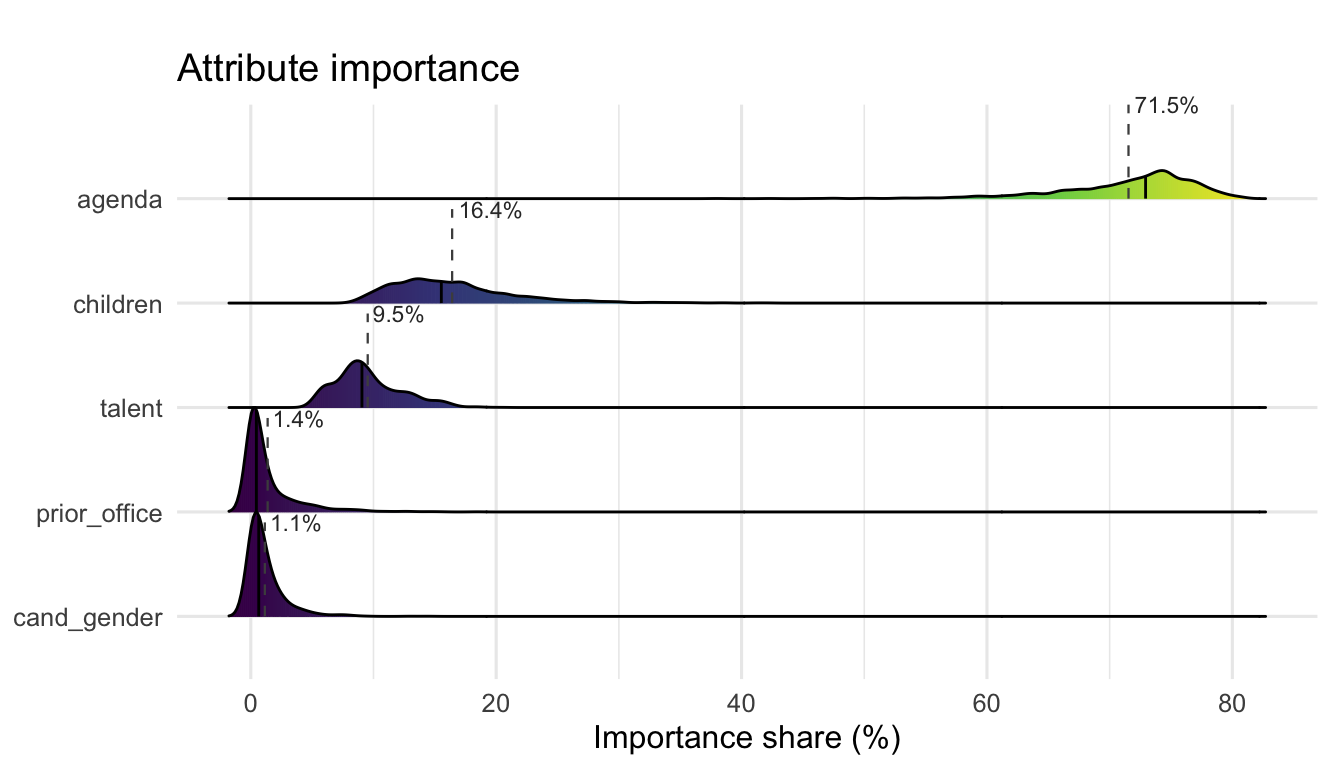
The plot.sc_fit() method accepts the same customization parameters via ....
plot(fit, "beta_ridgelines",
     dummies = c("agendaComplete Overhaul", "cand_genderFemale",
                  "prior_officeYes"),
     labels = c("agendaComplete Overhaul" = "Complete Overhaul",
                "cand_genderFemale" = "Female",
                "prior_officeYes" = "Prior Office"),
     title = "Selected attributes")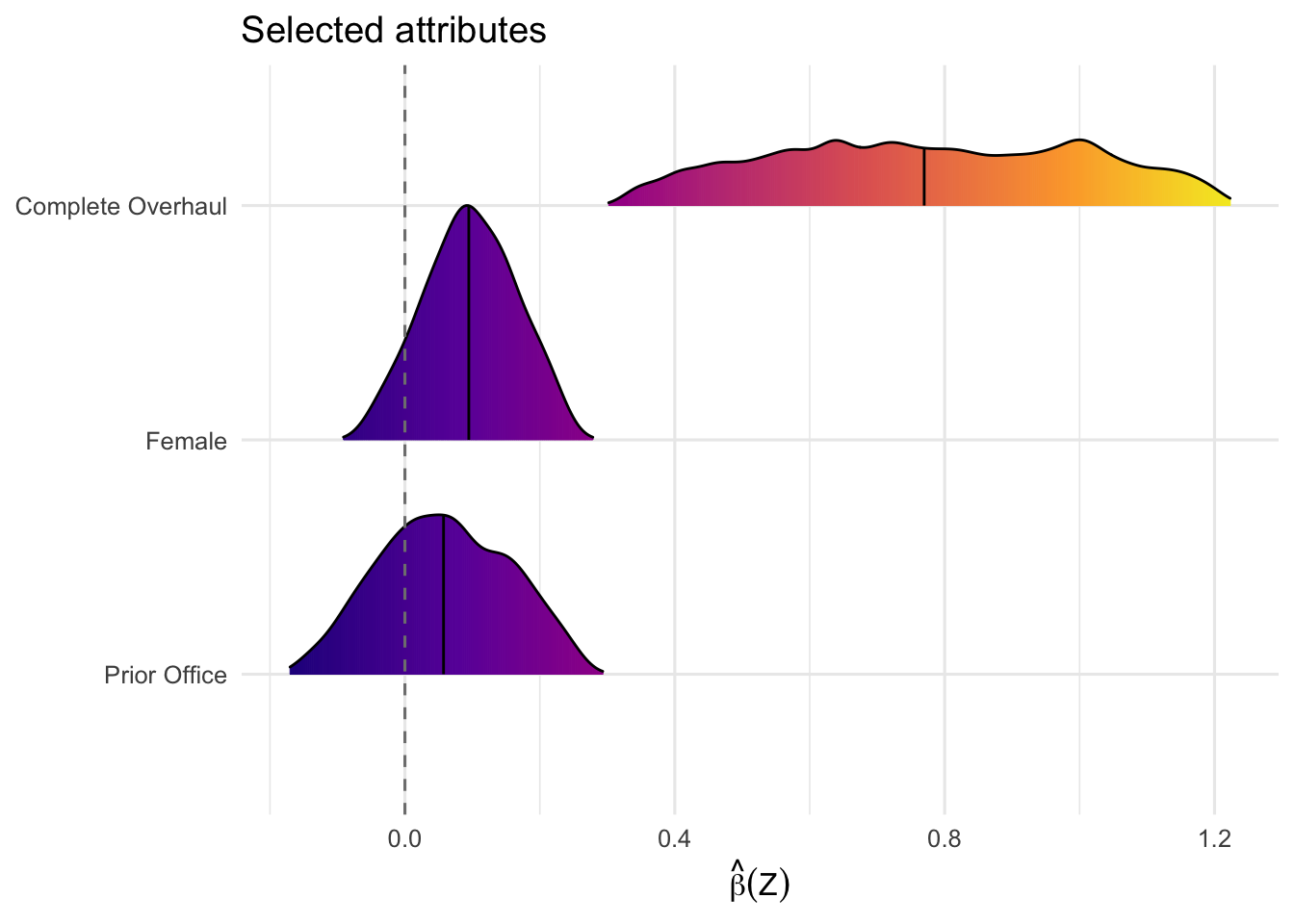
plot(fit, "loss_trace", title = "Training convergence", theme.bw = TRUE)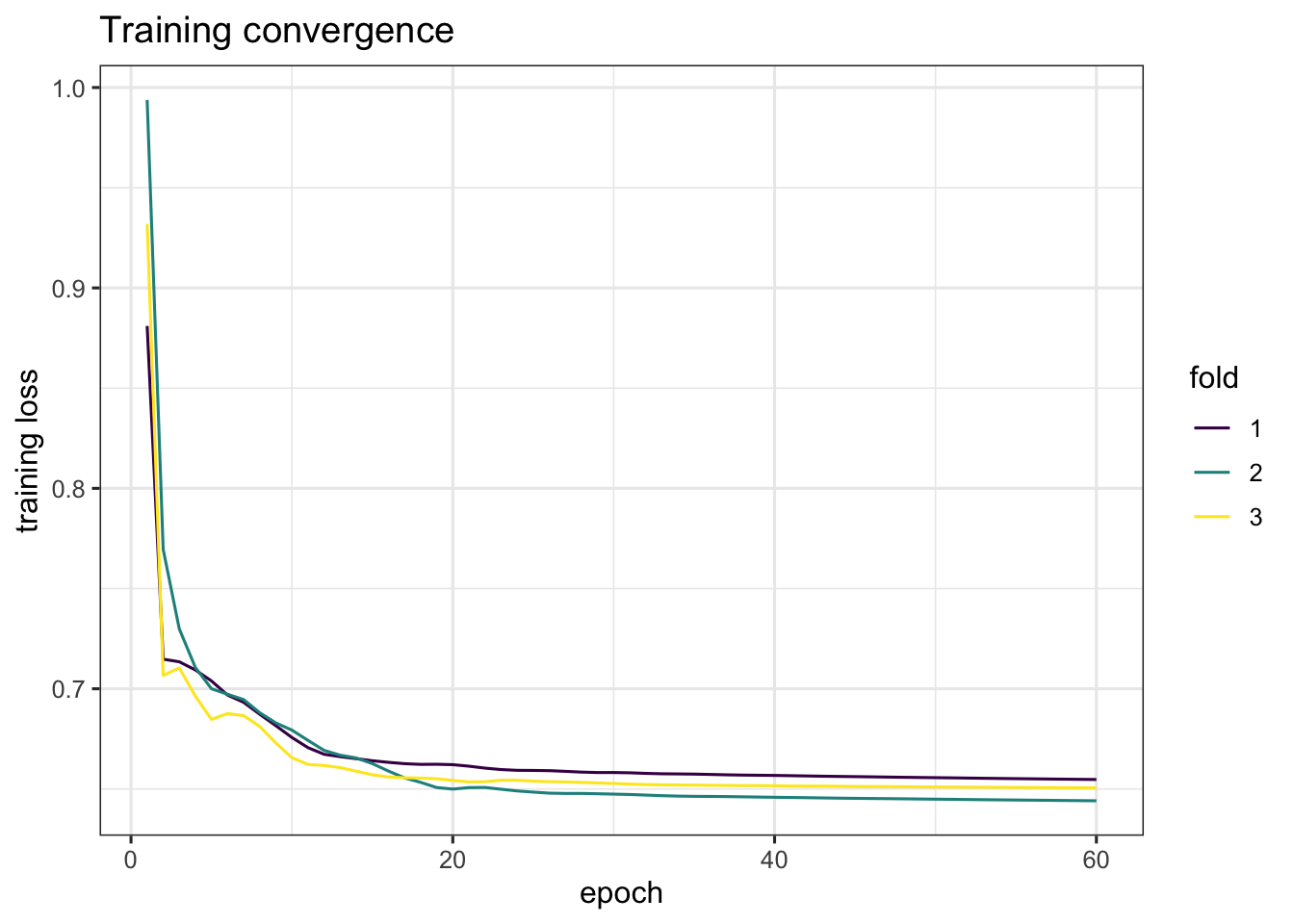
Since all plot functions return ggplot objects, standard ggplot2 modifications apply via +:
plot_amce(fit) +
  labs(subtitle = "Saha-Weeks (2022) candidate choice") +
  theme(plot.subtitle = element_text(color = "gray40", size = 10))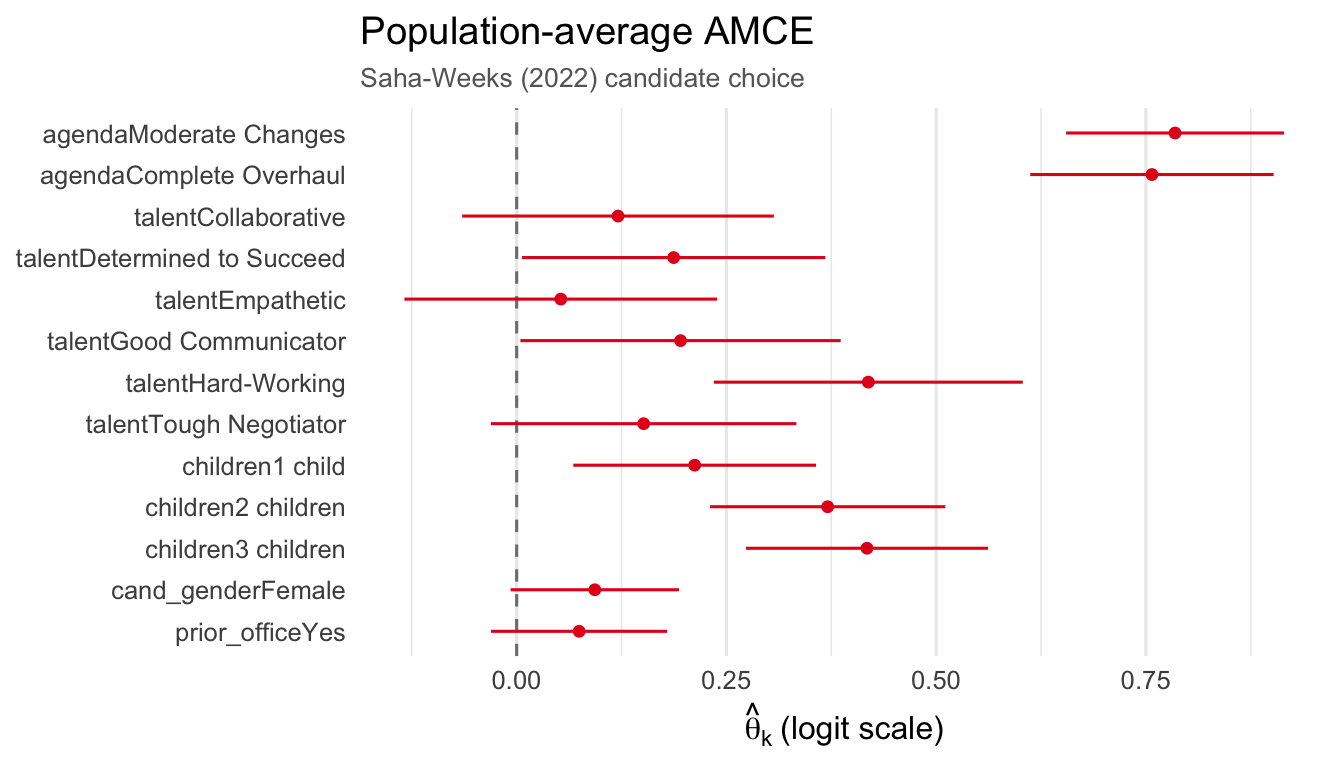
For side-by-side AMCE and fraction panels, use gridExtra:
library(gridExtra)
p1 <- plot_amce(fit, groups = sw_groups,
                title = expression(bold("A.") ~ "Average preferences"))
p2 <- plot_fraction(fit, groups = sw_groups,
                    title = expression(bold("B.") ~ "Fraction favor/oppose"))
grid.arrange(p1, p2, ncol = 2, widths = c(1, 1.1))