7 Plot Options
Earlier chapters showed plots in the context of specific estimators. This chapter flips the perspective: it is parameter-first, not method-first. Every argument of plot.interflex() is listed in a master table, grouped by purpose, and then demonstrated in isolation on pre-fitted objects. Users who want to know “how do I change X” can scan the table, jump to the relevant section, and copy a single-argument example.
All demos in this chapter reuse a small set of fitted objects created once in the Setup section. Plotting chunks never refit a model.
7.1 Setup: Data and Reusable Fits
We use two datasets: app_hma2015 from Huddy et al. (2015) (single continuous treatment) and the package simulation dataset s5 (multi-arm discrete treatment).
We fit four objects once and reuse them throughout the chapter. Each fit lives in its own cached chunk so editing a plot demo never invalidates a fit.
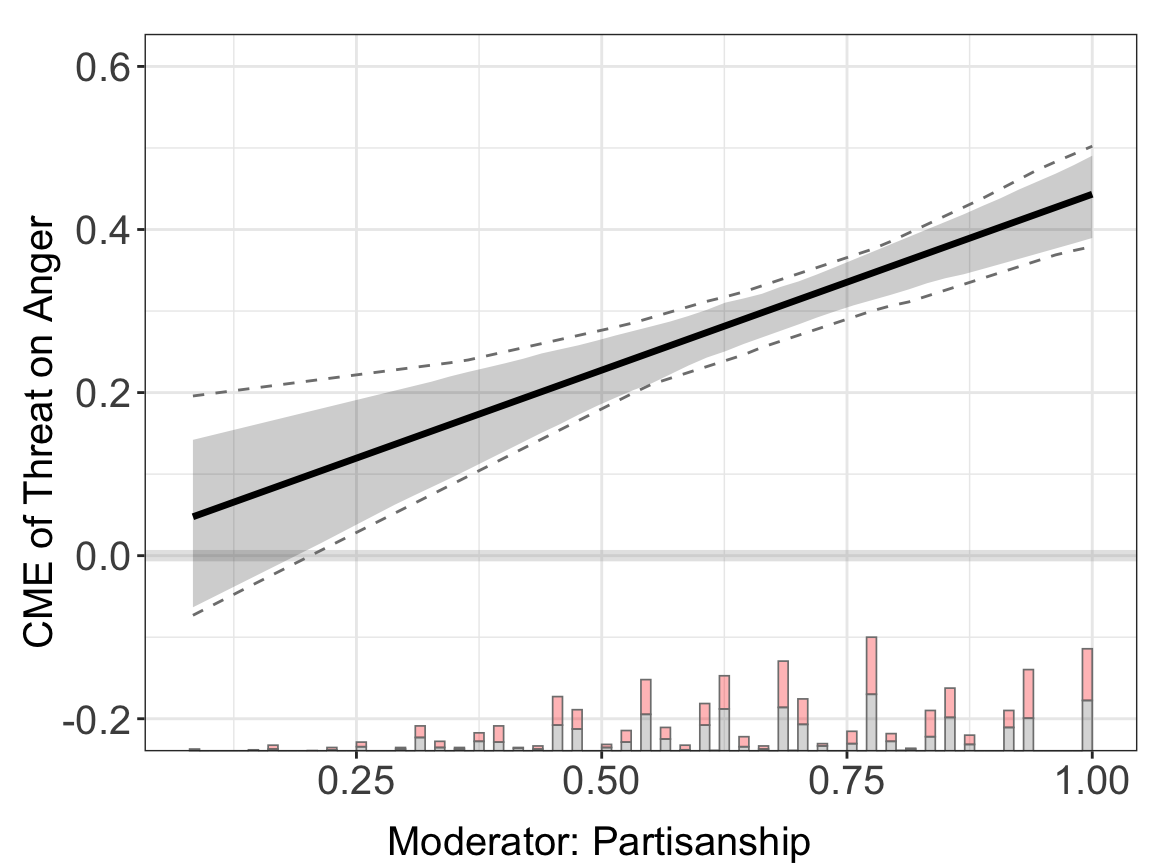
linear.out.1 <- interflex(estimator = "linear", data = d,
                          Y = Y, D = D, X = X, Z = Z,
                          Ylabel = Ylabel, Dlabel = Dlabel,
                          Xlabel = Xlabel, vartype = "bootstrap",
                          main = "Linear model")
#> Parallel computing: using 8 of 20 available cores.
#> To change: set cores = <n> in interflex().
#> Baseline group not specified; choose treat = 0 as the baseline group.
s5.linear <- interflex(Y = "Y", D = "D", X = "X", Z = c("Z1", "Z2"),
data = s5,
estimator = "linear")
#> Baseline group not specified; choose treat = A as the baseline group.s5.binning <- interflex(Y = "Y", D = "D", X = "X", Z = c("Z1", "Z2"),
data = s5,
estimator = "binning", vartype = "bootstrap")s5.kernel <- interflex(Y = "Y", D = "D", X = "X", Z = c("Z1", "Z2"),
data = s5,
estimator = "kernel", vartype = "bootstrap")There are two equivalent ways to control the figure:
-
During estimation: pass any plot argument into
interflex()and retrieveresult$figure. -
After estimation: call
plot(result, ...)and supply or overwrite the same arguments.
All options in this chapter work identically in both places. The demos below use the post-estimation form because it lets us vary one argument at a time on a single cached fit.
7.2 Master Parameter Table
The full list of plot.interflex() arguments, grouped by purpose. Sections below revisit each group with demos.
| Group | Parameter | Purpose | Default |
|---|---|---|---|
| Estimates to plot | order |
Display order of treatment arms / reference values | NULL |
diff.values |
Three moderator values at which to print effect differences (linear / kernel) | NULL |
|
CI |
Draw pointwise confidence bands | estimator-dependent | |
show.uniform.CI |
Overlay uniform (simultaneous) CI band on top of pointwise band | TRUE |
|
pool |
Combine a list of interflex objects into one pooled plot | FALSE |
|
by.group |
Facet a kernel plot by group-wise estimates | FALSE |
|
show.all |
Return a list of per-arm ggplot objects instead of a single figure | FALSE |
|
| Moderator’s distribution | Xdistr |
Distribution strip under the curve: "histogram", "density", "none"
|
"histogram" |
hist.color |
Bar colors for control/treated histogram | c("gray50","red") |
|
hist.color.alpha |
Histogram transparency | 0.3 |
|
density.color |
Ribbon colors for control/treated density | c("gray50","red") |
|
density.color.alpha |
Density transparency | 0.3 |
|
| Titles, subtitles, annotations | main |
Main title (top-center) | NULL |
subtitles |
Per-facet subtitles | NULL |
|
show.subtitles |
Force subtitles on/off | NULL |
|
interval |
Draw light-blue vertical reference line(s) at these moderator values | NULL |
|
legend.title |
Legend title when pool = TRUE
|
NULL |
|
bin.labs |
Show “L/M/H” labels under binning centers | TRUE |
|
| Axis labels & limits |
Ylabel / Dlabel / Xlabel
|
Variable names used in default axis text and titles | NULL |
xlab / ylab
|
Full custom axis titles (override the *label glue) |
NULL |
|
xlim / ylim
|
Numeric length-2 axis ranges | NULL |
|
| Theme & grid | theme.bw |
Use theme_bw() with grey zero line; FALSE uses default theme |
TRUE |
show.grid |
Toggle major/minor grid lines | TRUE |
|
| Curves, ribbons, colors | line.color |
Color of the effect curve | "black" |
line.size |
Thickness of the effect curve | 1.2 |
|
CI.color |
Fill color of the CI ribbon | "black" |
|
CI.color.alpha |
CI ribbon transparency | 0.2 |
|
color |
Vector of colors used when pool = TRUE (one per arm) |
NULL |
|
| Font sizes | cex.main |
Main title size | NULL |
cex.sub |
Subtitle size | NULL |
|
cex.lab |
Axis title size | NULL |
|
cex.axis |
Tick label size | NULL |
|
| Layout & output | ncols |
Number of columns when multiple panels are arranged | #panels |
scale |
Overall figure scaling factor | 1.1 |
|
height / width
|
Dimensions used when writing to file
|
7 / 10
|
|
file |
Path to save the figure | NULL |
7.3 Estimates to Plot
| Parameter | Purpose |
|---|---|
order |
Display order of treatment arms / reference values |
diff.values |
Three moderator values at which to print effect differences |
CI |
Draw pointwise CI ribbon |
show.uniform.CI |
Overlay simultaneous CI band |
pool |
Combine arms on a single panel |
by.group |
Facet kernel plot by group |
show.all |
Return per-arm ggplot list |
7.3.1 order and subtitles
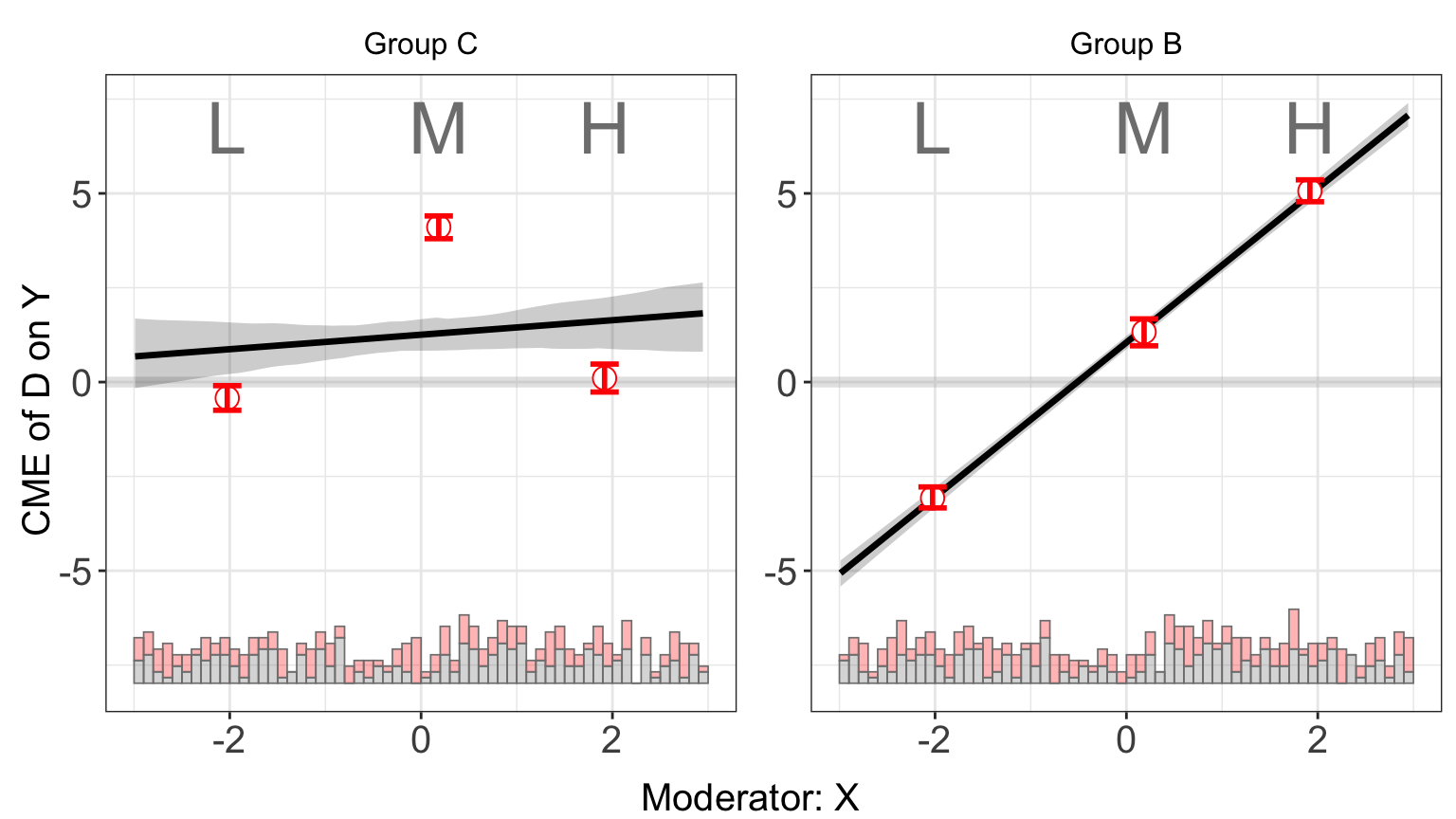
Fix the display order of treatment arms and give each facet a custom label. s5 has three arms (A, B, C); selecting only ("C","B") also drops A from the display.
7.3.2 diff.values and CI
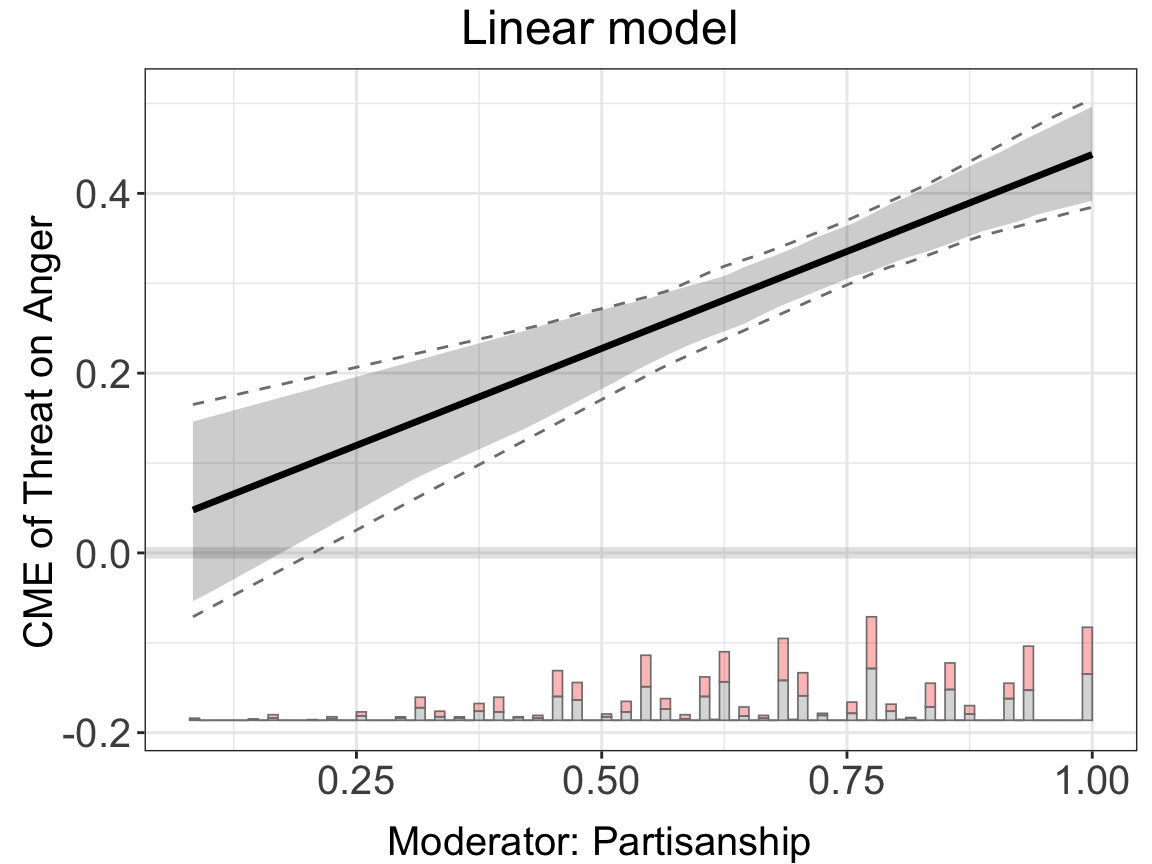
With a linear or kernel estimator, diff.values prints effect differences at three moderator values. CI = FALSE hides the pointwise ribbon.
7.3.3 show.uniform.CI
When an interflex object carries a uniform (simultaneous) confidence band, it is overlaid on top of the pointwise band by default. Turn it off to show the pointwise band alone.
plot(s5.kernel, show.uniform.CI = FALSE)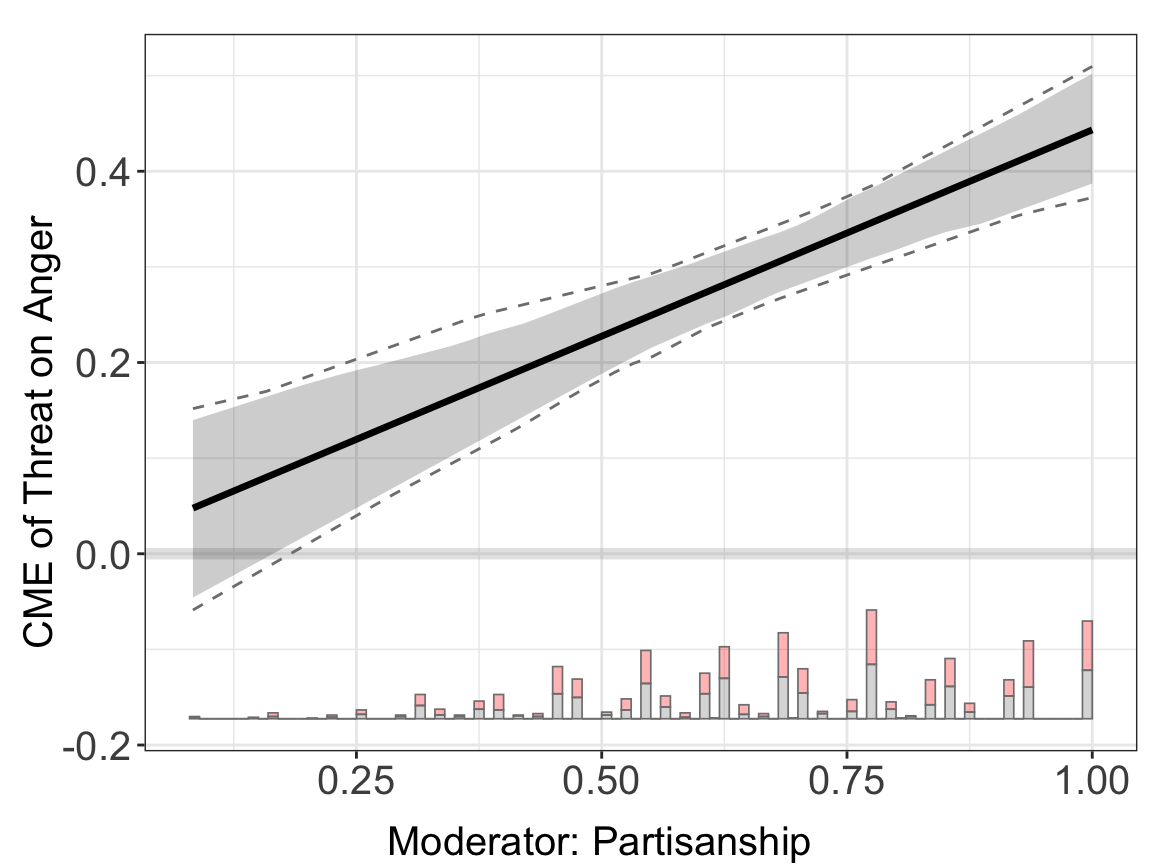
7.3.4 pool and color
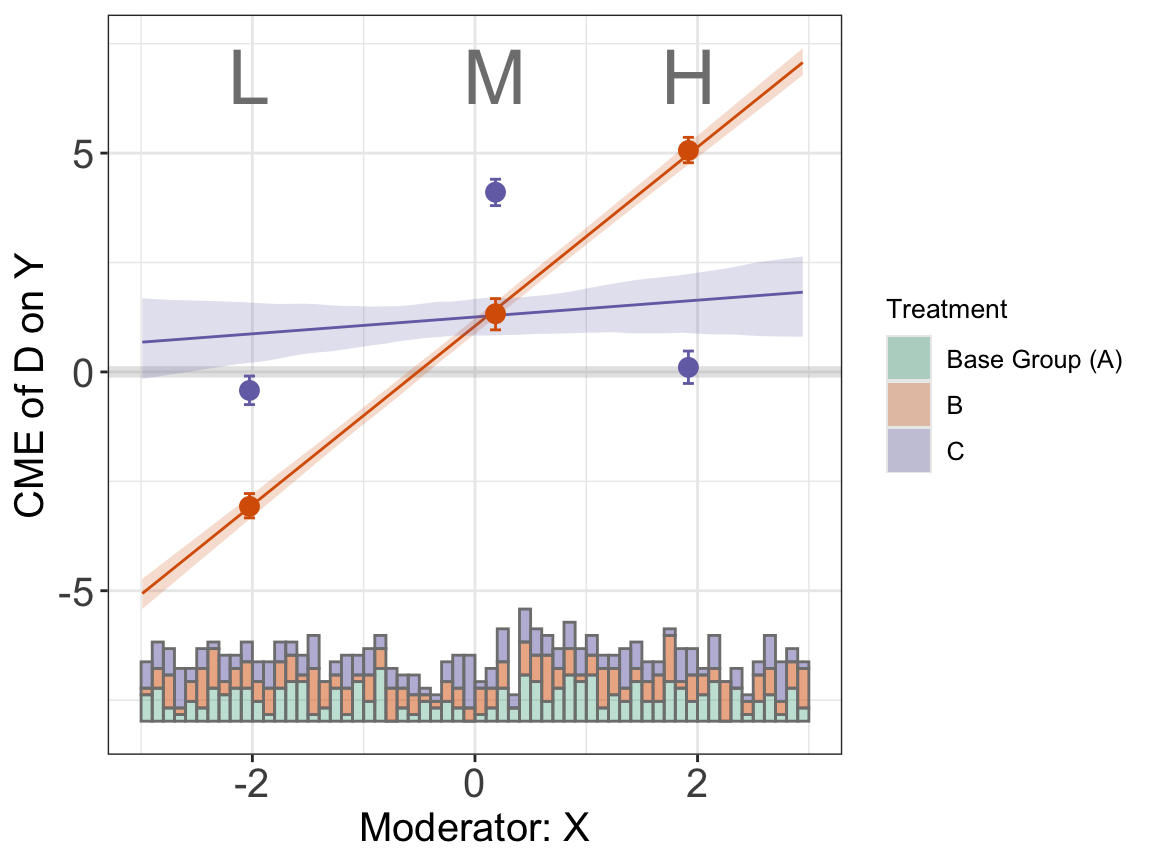
pool = TRUE combines all arms onto one panel. Pass color to choose per-arm colors.
7.3.5 by.group
When an interflex object carries Group Average Treatment Effects (GATE), by.group = TRUE draws one panel per group. GATE is produced by calling interflex(..., gate = TRUE), which requires a discrete moderator X. None of the simulation datasets shipped with the package have a discrete moderator, so this demo is not executed here; the typical usage is:
fit <- interflex(Y = Y, D = D, X = X_discrete, Z = Z,
                 data = d, estimator = "kernel", gate = TRUE)
plot(fit, by.group = TRUE)
Once g.est is present on the object, plot() auto-enables by.group unless you explicitly pass by.group = FALSE.
7.3.6 show.all
Returns a list of ggplot objects, one per treatment arm, so users can further customize them individually.
7.4 Moderator’s Distribution
| Parameter | Purpose |
|---|---|
Xdistr |
"histogram", "density", or "none"
|
hist.color / hist.color.alpha
|
Histogram fill color and transparency |
density.color / density.color.alpha
|
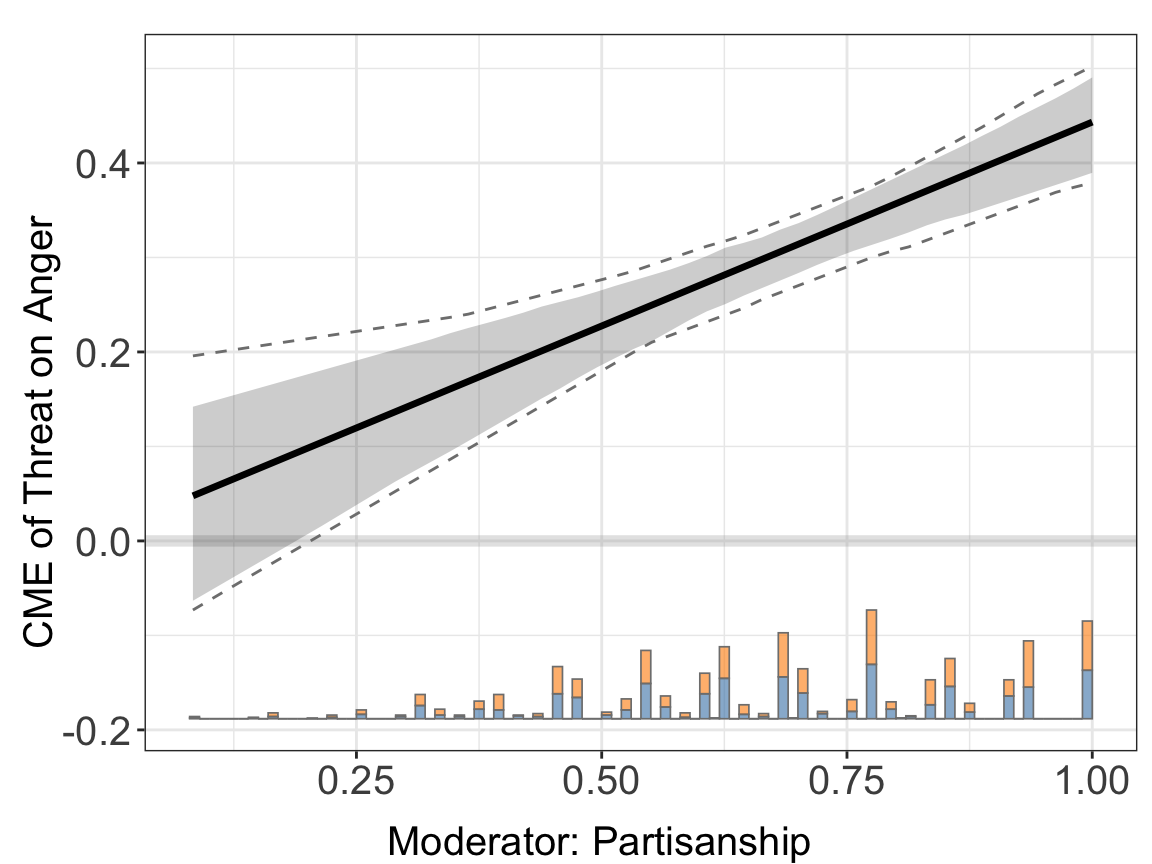
Density ribbon color and transparency |
7.4.1 Xdistr
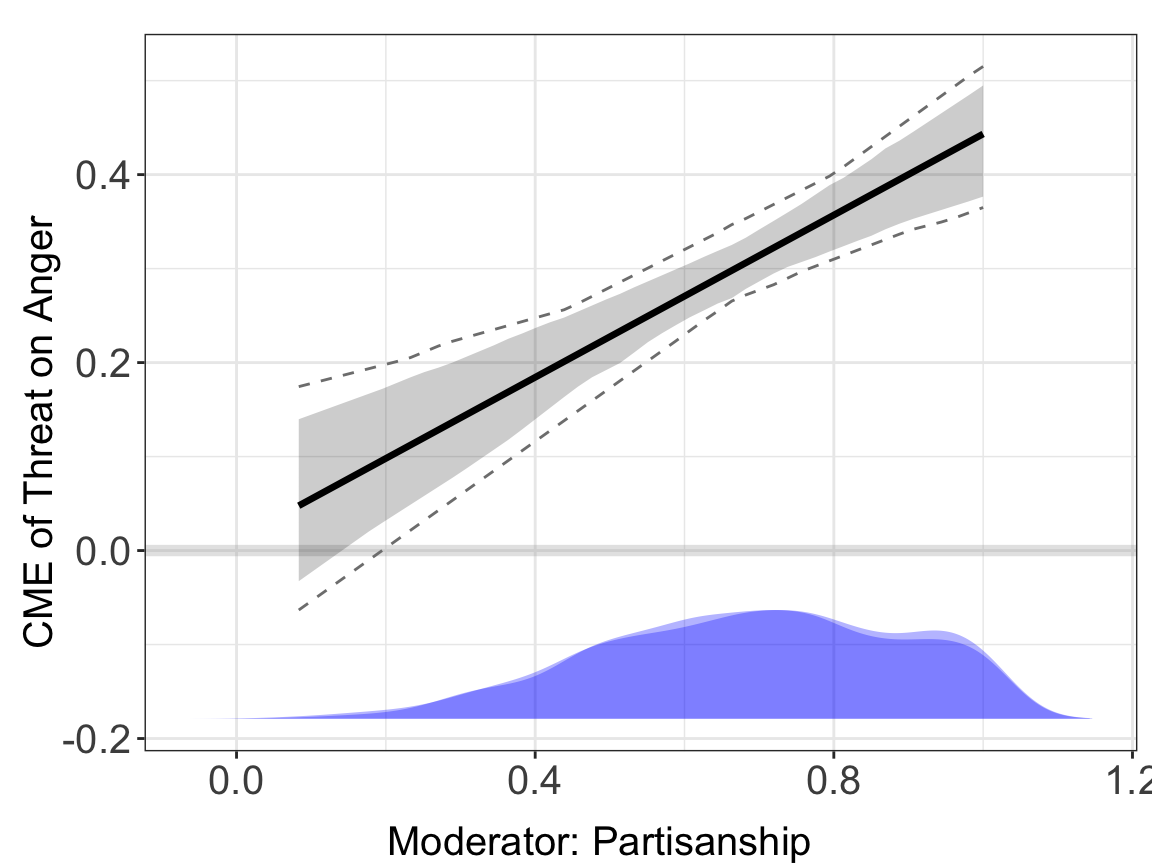
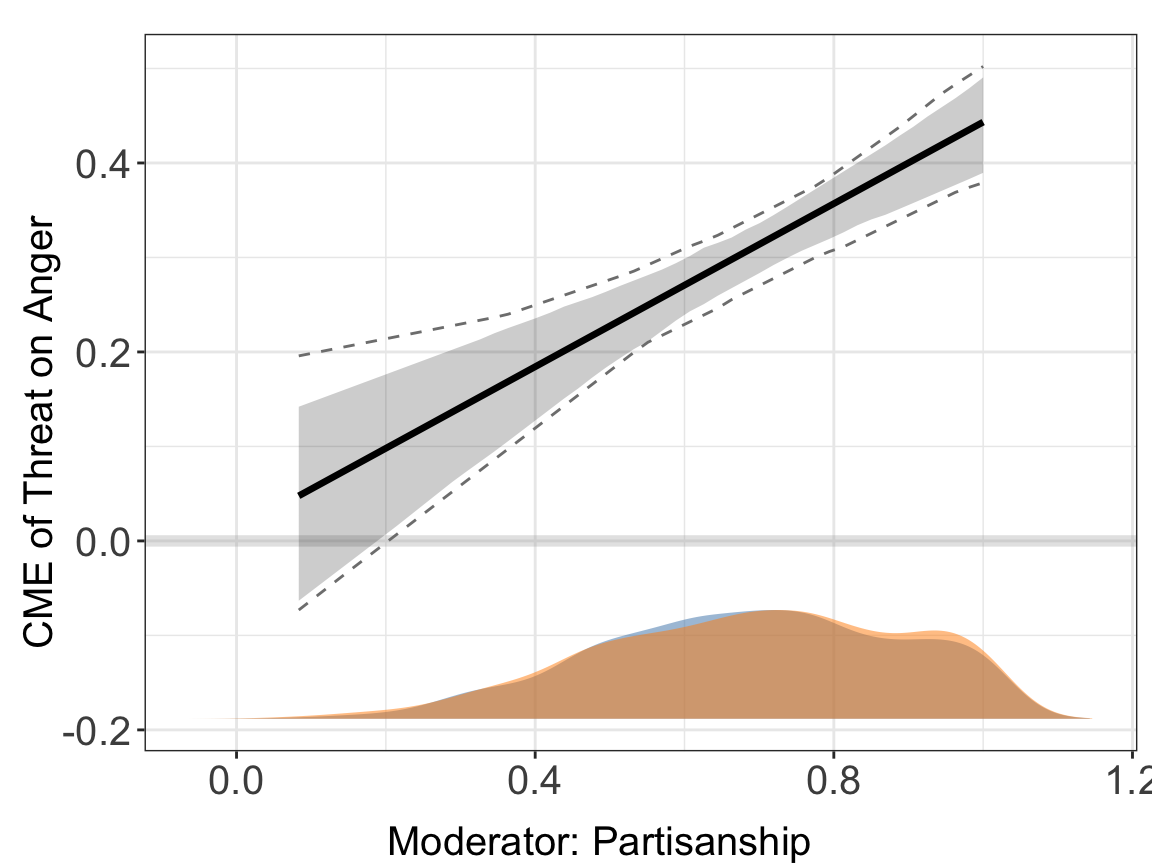
Three choices: stacked histogram (default), shaded density, or nothing.
7.4.2 hist.color and hist.color.alpha
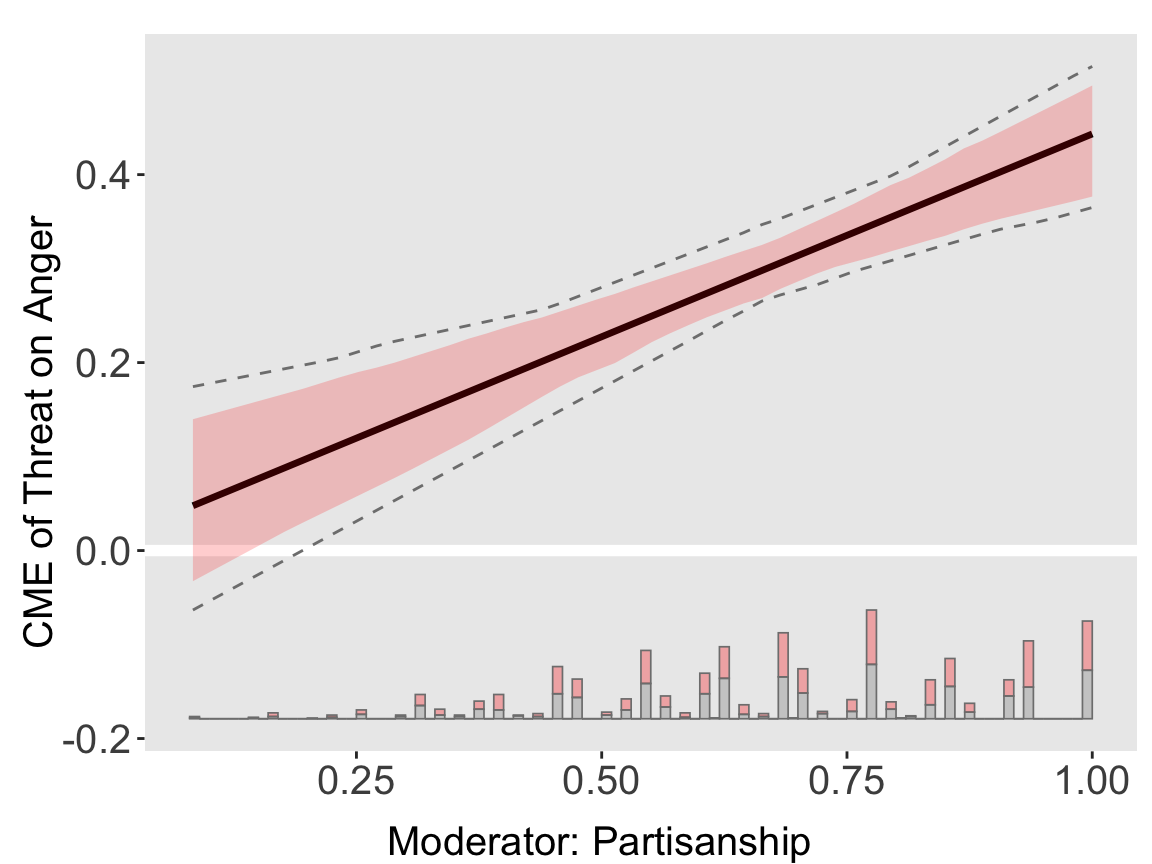
First element is the control color, second is the treated color.
7.4.3 density.color and density.color.alpha
7.5 Titles, Subtitles, and Annotations
| Parameter | Purpose |
|---|---|
main |
Main title |
subtitles |
Per-facet subtitles |
show.subtitles |
Force subtitles on/off |
interval |
Vertical reference line(s) |
legend.title |
Legend title in pooled plots |
bin.labs |
“L/M/H” labels under binning centers |
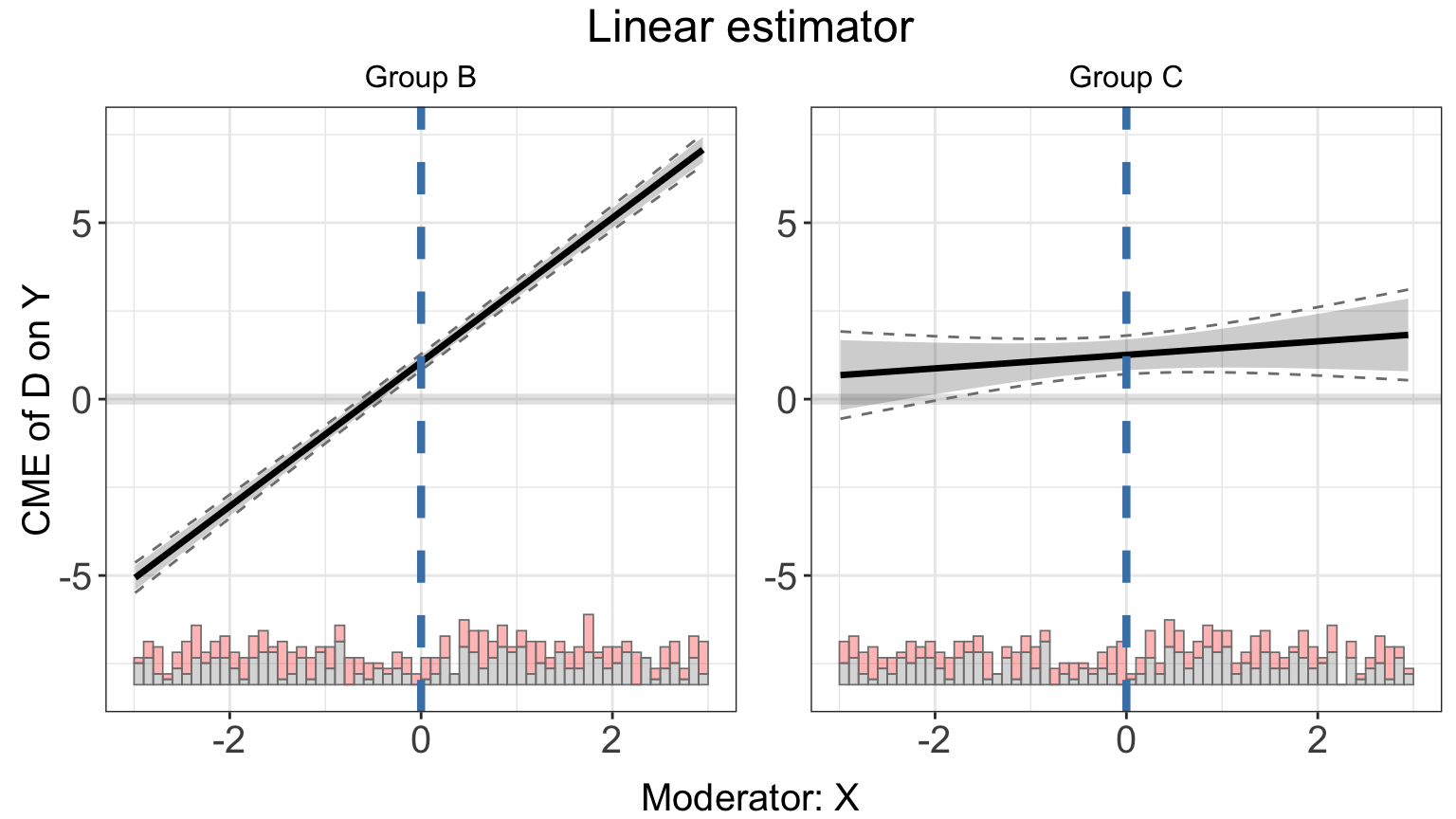
7.5.1 main, subtitles, show.subtitles, interval
One chunk demonstrates four at once — the logical home for them is the same plot.
7.5.2 legend.title
Only meaningful when pool = TRUE.
plot(s5.binning, pool = TRUE, legend.title = "Arm")
#> Ignoring unknown labels:
#> • colour : "Arm"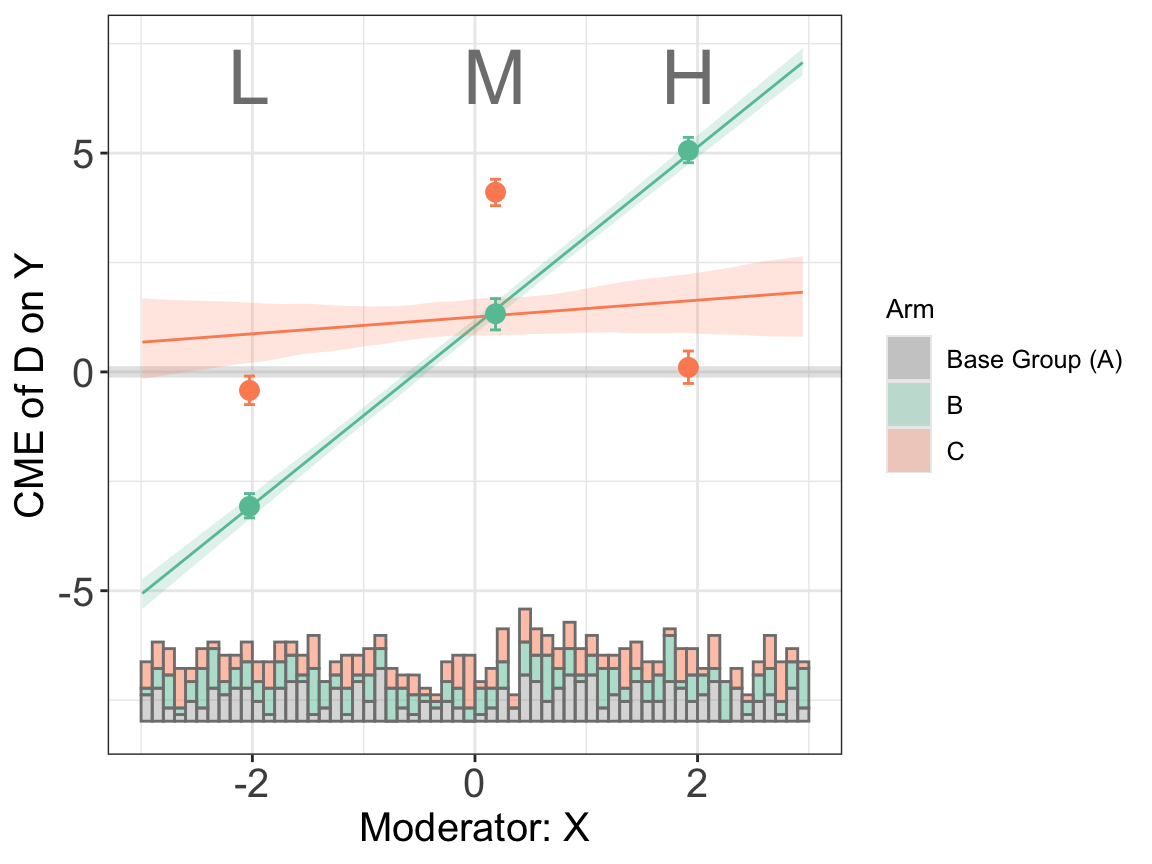
7.5.3 bin.labs
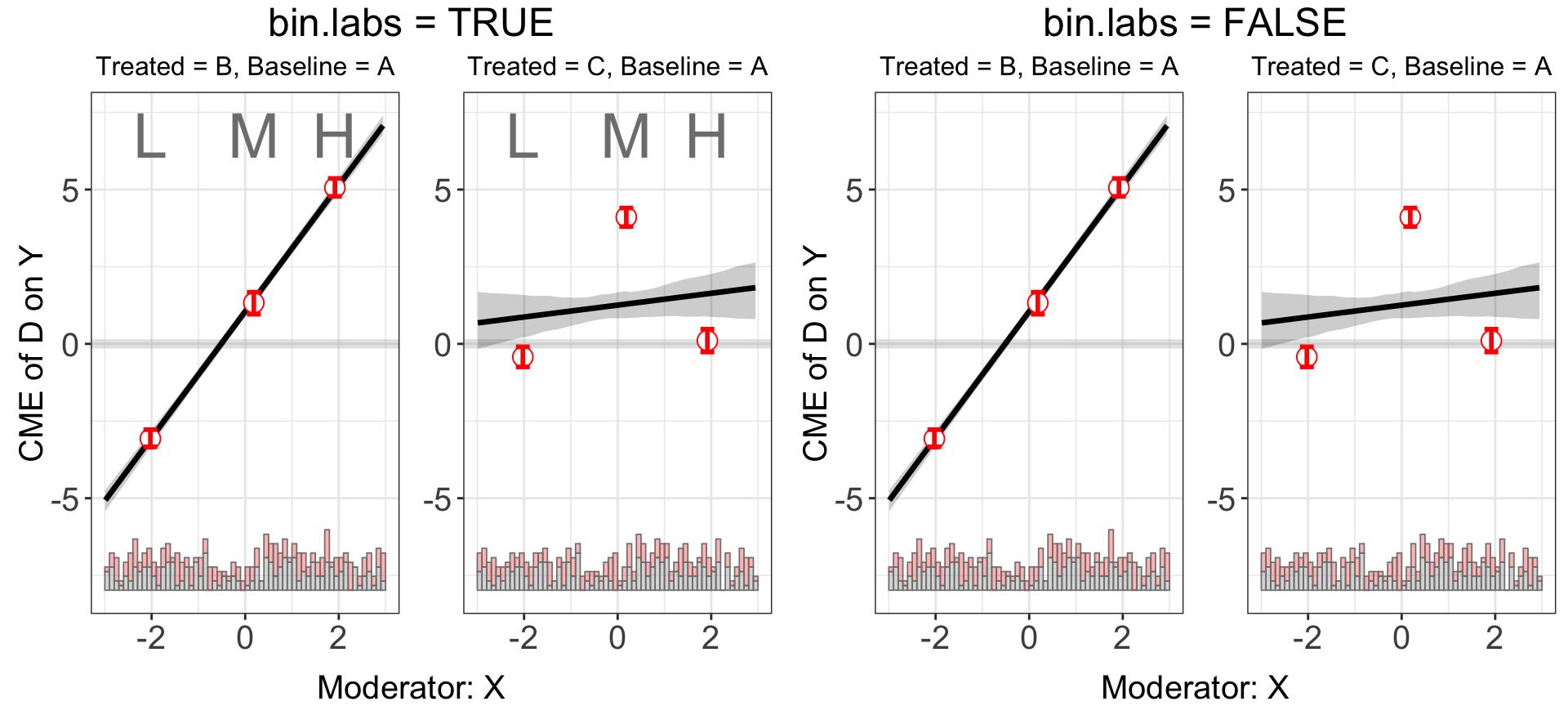
On a binning plot, bin.labs = TRUE (default) prints “L/M/H” under each bin center; FALSE hides them.
7.6 Axis Labels and Limits
| Parameter | Purpose |
|---|---|
Ylabel / Dlabel / Xlabel
|
Variable names reused in default axis text |
xlab / ylab
|
Full custom axis titles (override the glue) |
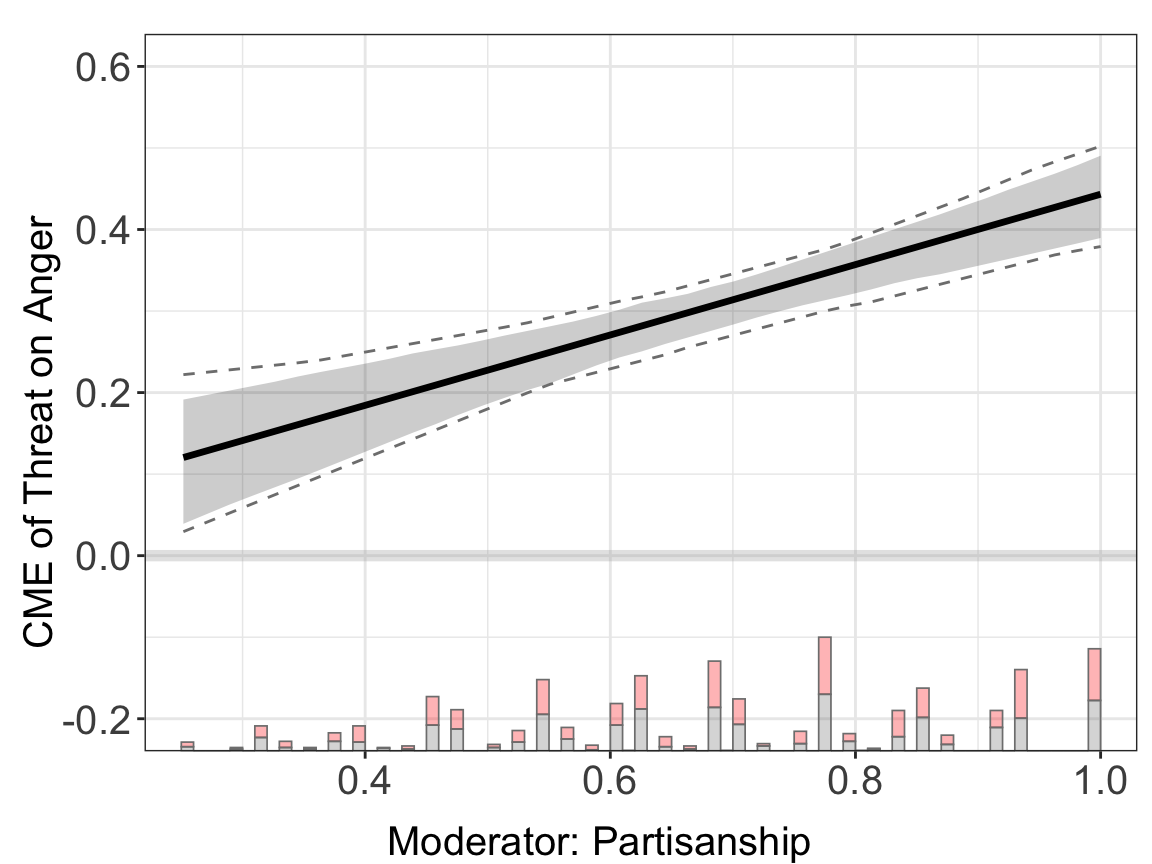
xlim / ylim
|
Axis ranges |
7.6.1 Ylabel, Dlabel, Xlabel
These set the variable names that plot.interflex() uses to build default axis titles ("Moderator: <Xlabel>", "Marginal Effect of <Dlabel> on <Ylabel>").
plot(linear.out.1,
     Ylabel = "Anger score",
     Dlabel = "Threat cue",
     Xlabel = "Partisan strength")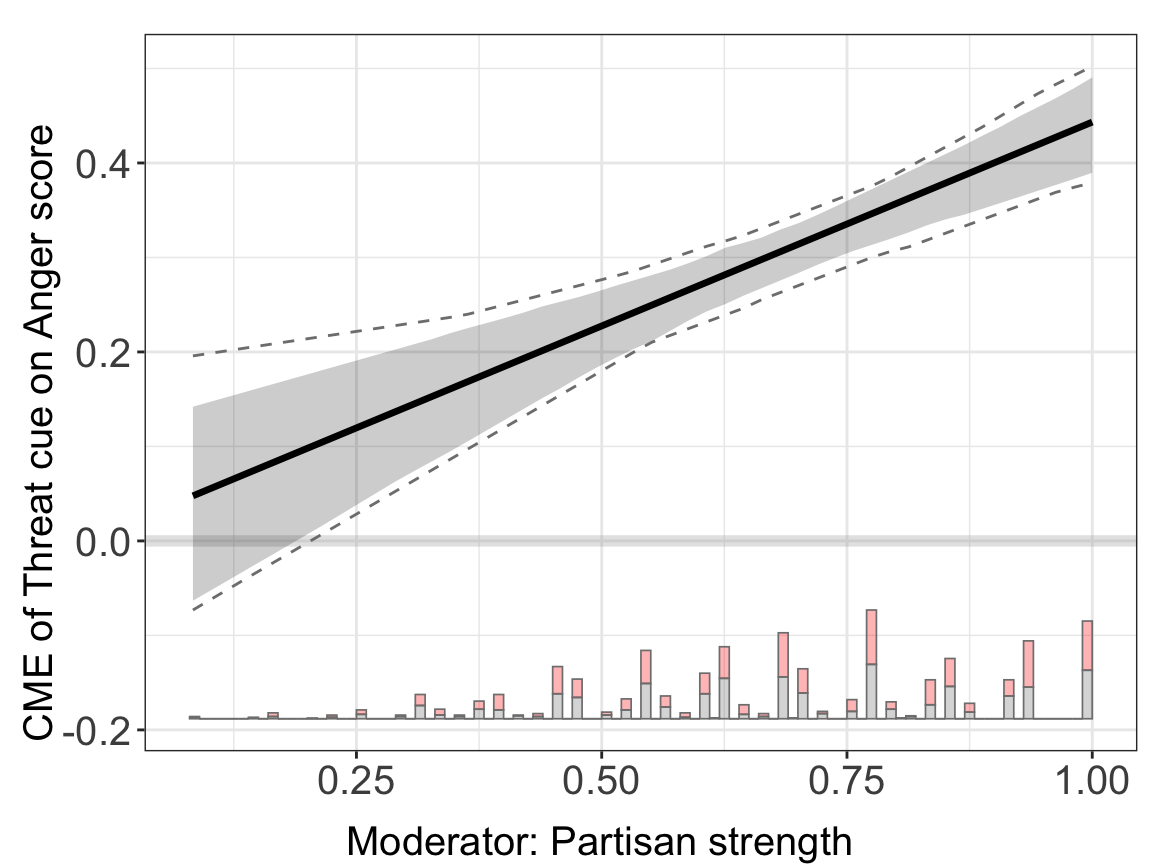
7.6.2 xlab and ylab
Override the glued defaults entirely with full axis titles.
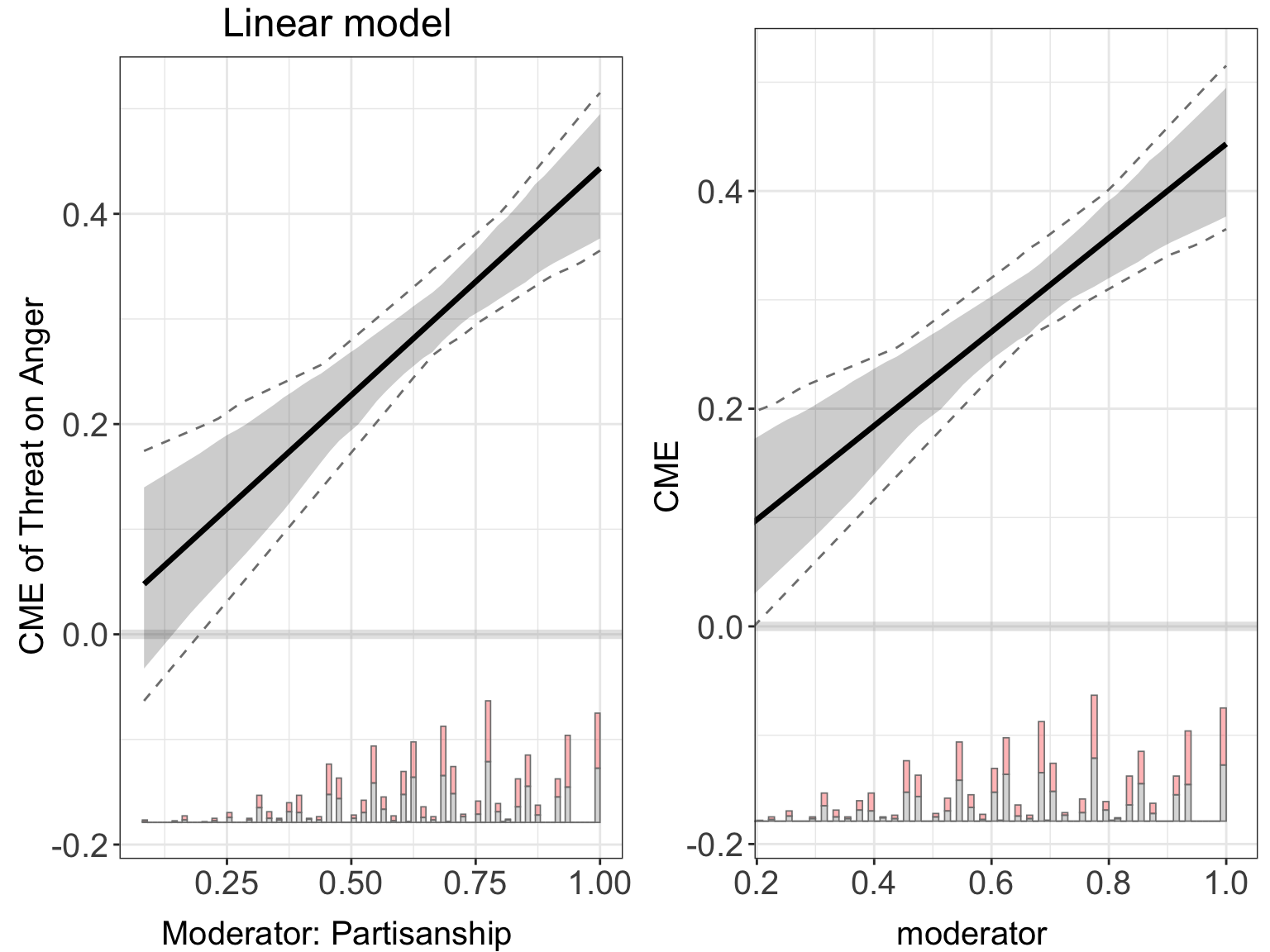
plot(linear.out.1,
     xlab = "moderator",
     ylab = "CME")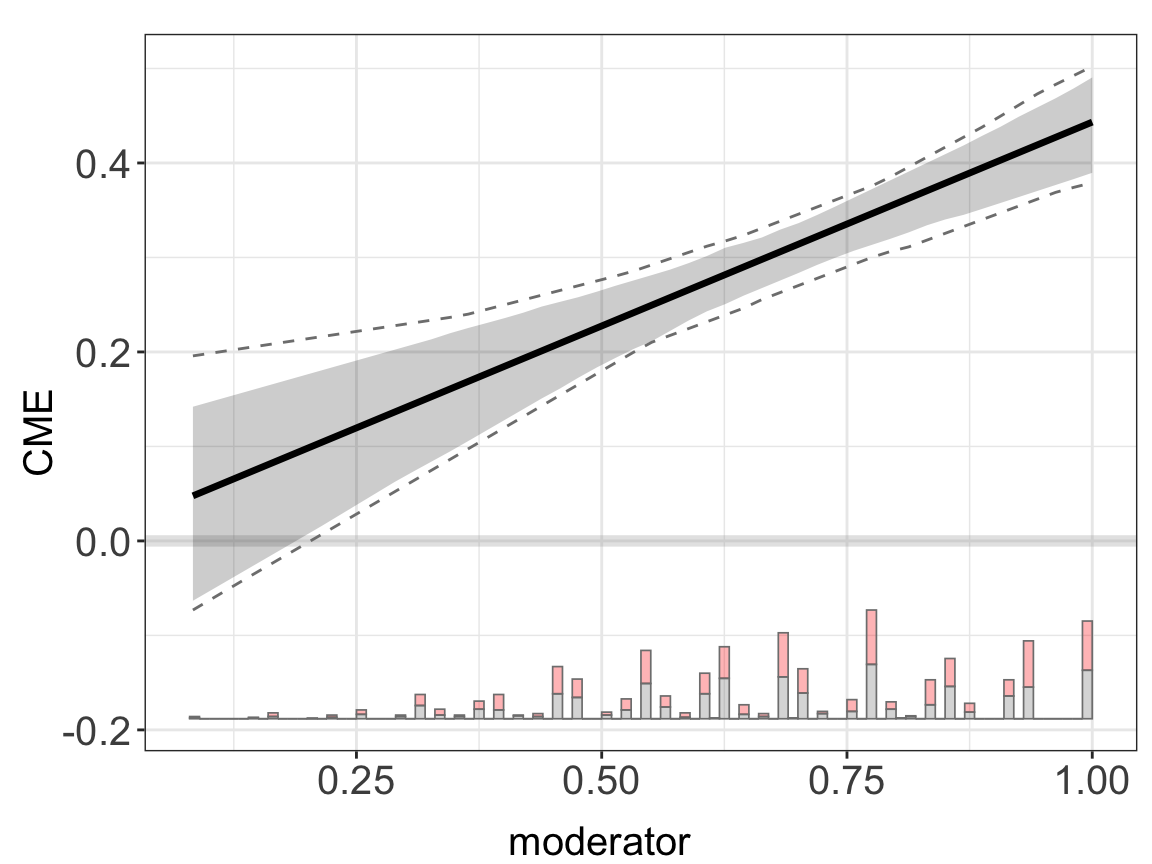
7.6.3 xlim and ylim
7.7 Theme and Grid
| Parameter | Purpose |
|---|---|
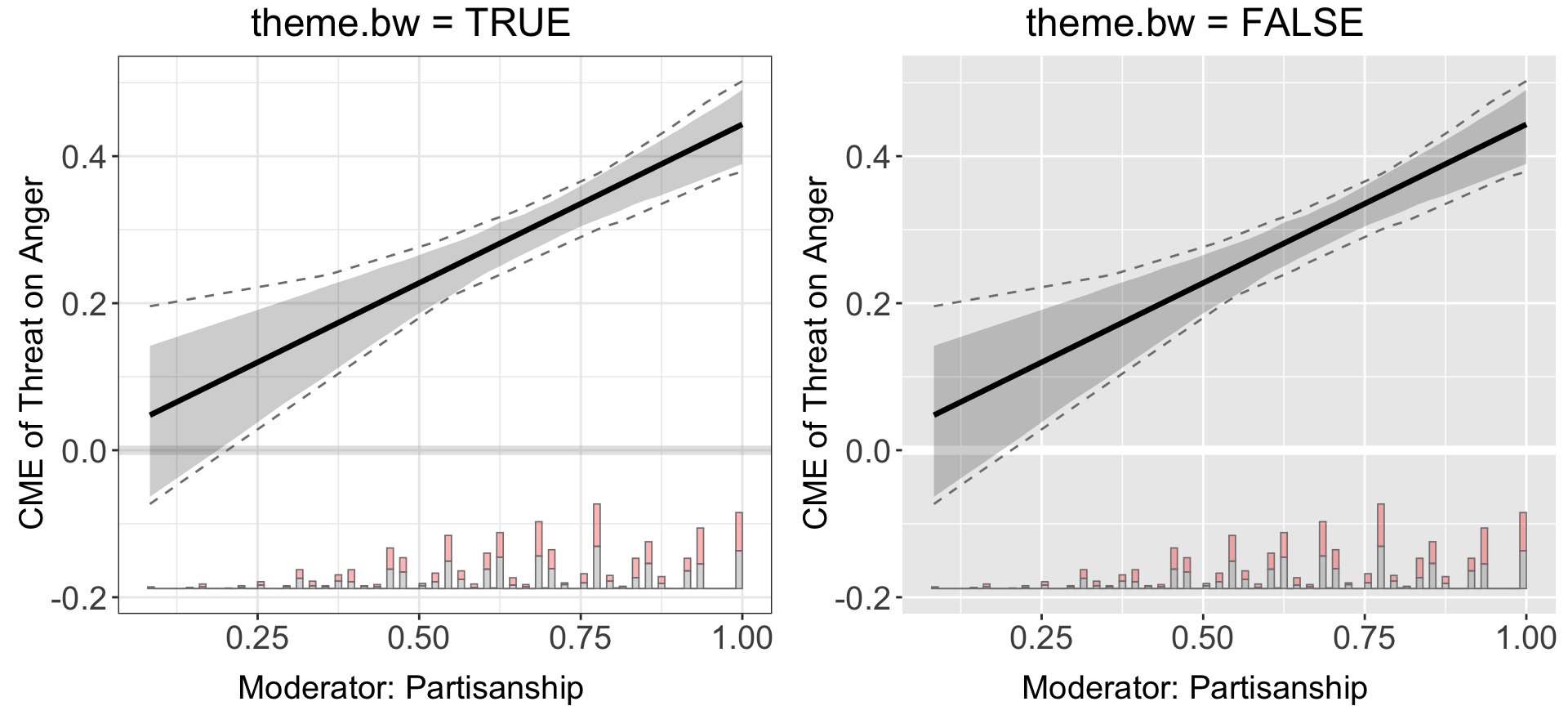
theme.bw |
theme_bw() background + grey zero line, or default theme + white zero line |
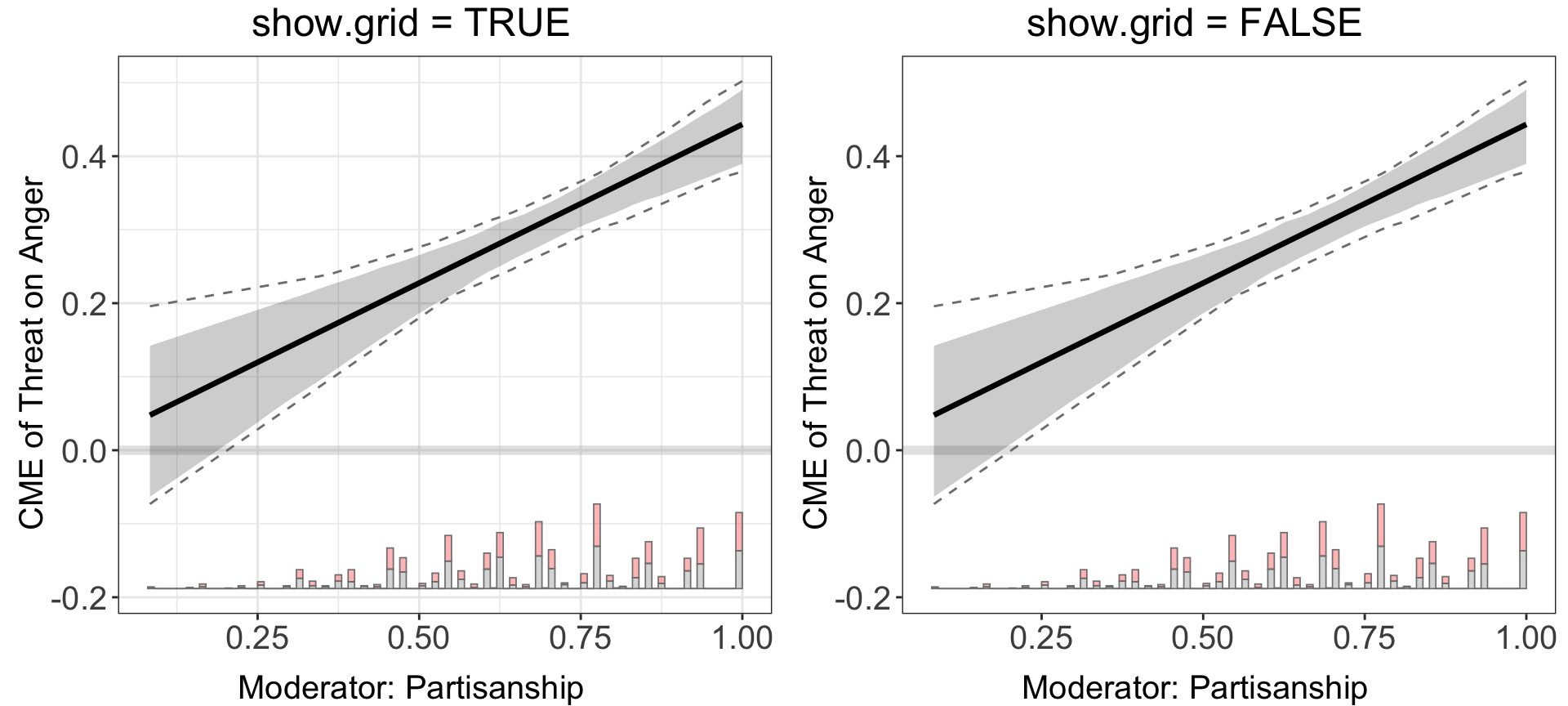
show.grid |
Toggle panel grid lines |
7.7.1 theme.bw
7.7.2 show.grid
7.8 Curves, Ribbons, and Colors
| Parameter | Purpose |
|---|---|
line.color |
Color of the effect curve |
line.size |
Thickness of the effect curve |
CI.color |
CI ribbon fill color |
CI.color.alpha |
CI ribbon transparency |
color |
Per-arm palette in pooled plots |
7.8.1 line.color and line.size
plot(linear.out.1,
     line.color = "navy",
     line.size = 2)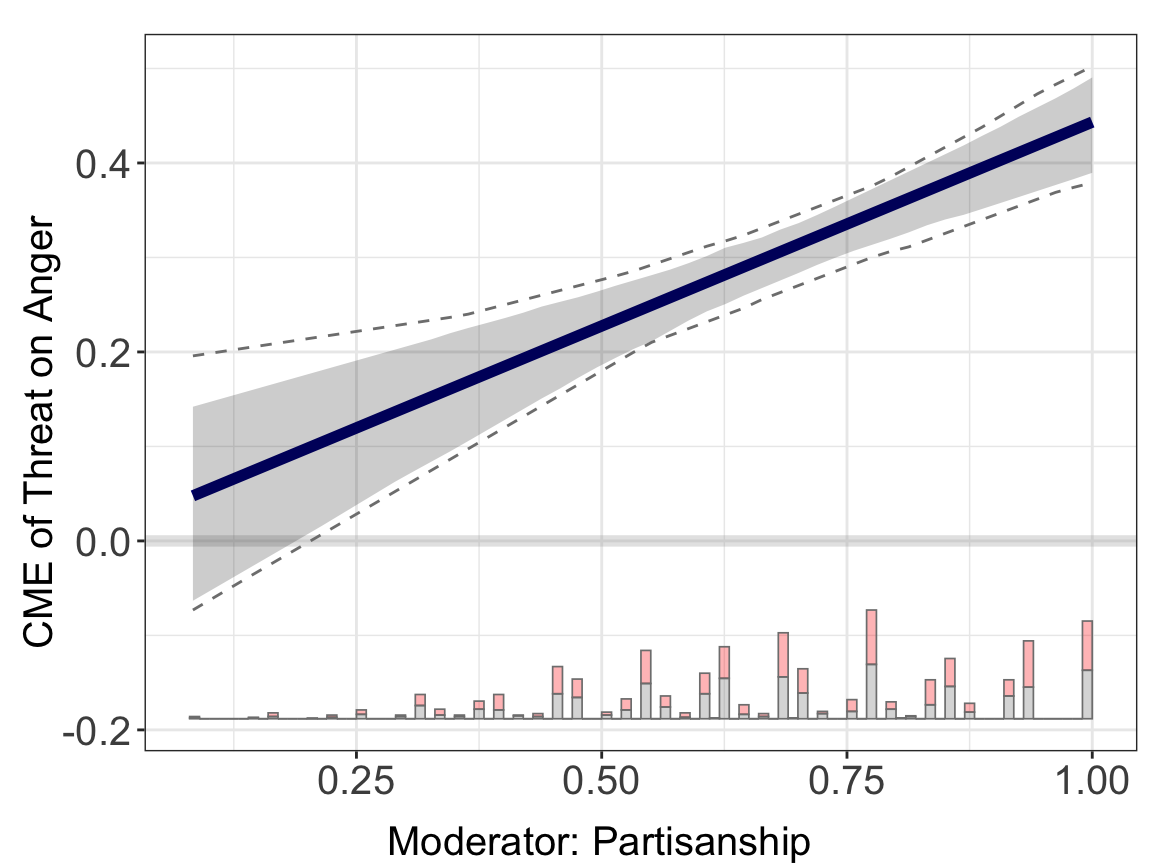
7.8.2 CI.color and CI.color.alpha
plot(linear.out.1,
     CI.color = "red",
     CI.color.alpha = 0.35)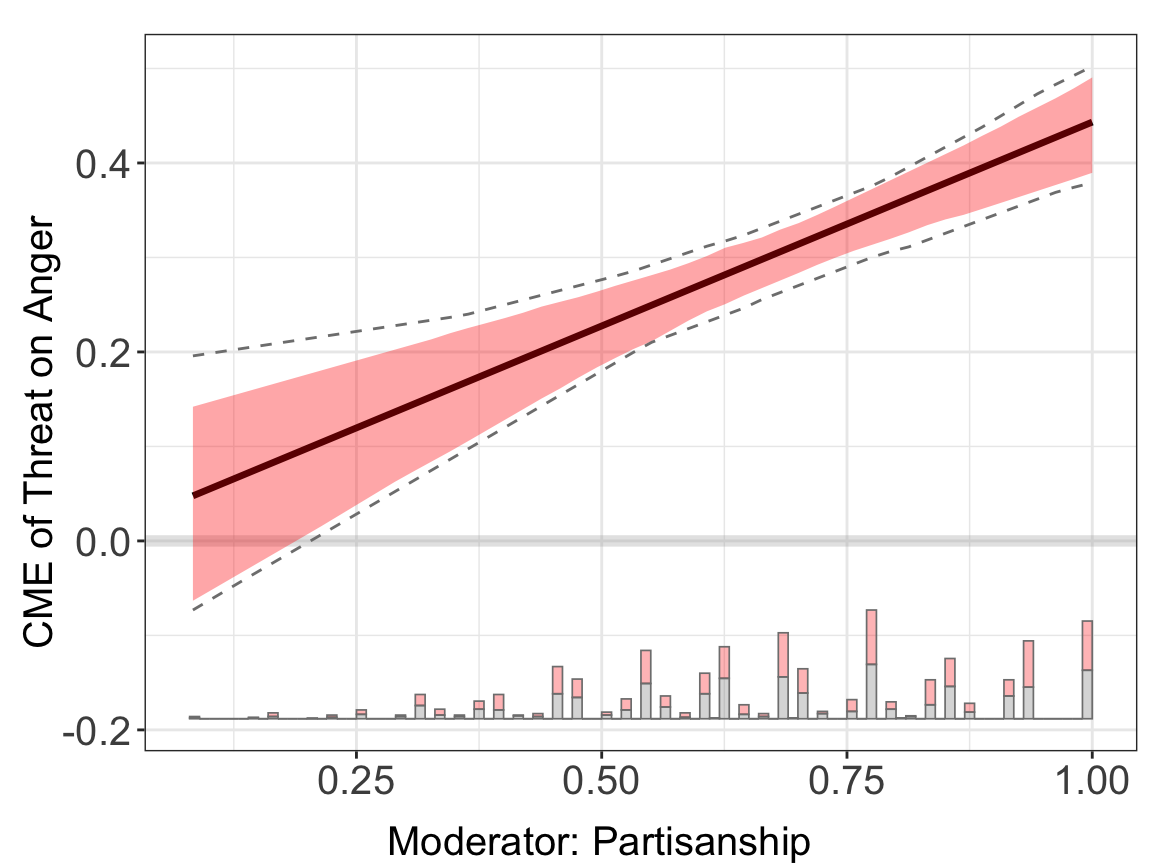
7.8.3 color (pooled plots)
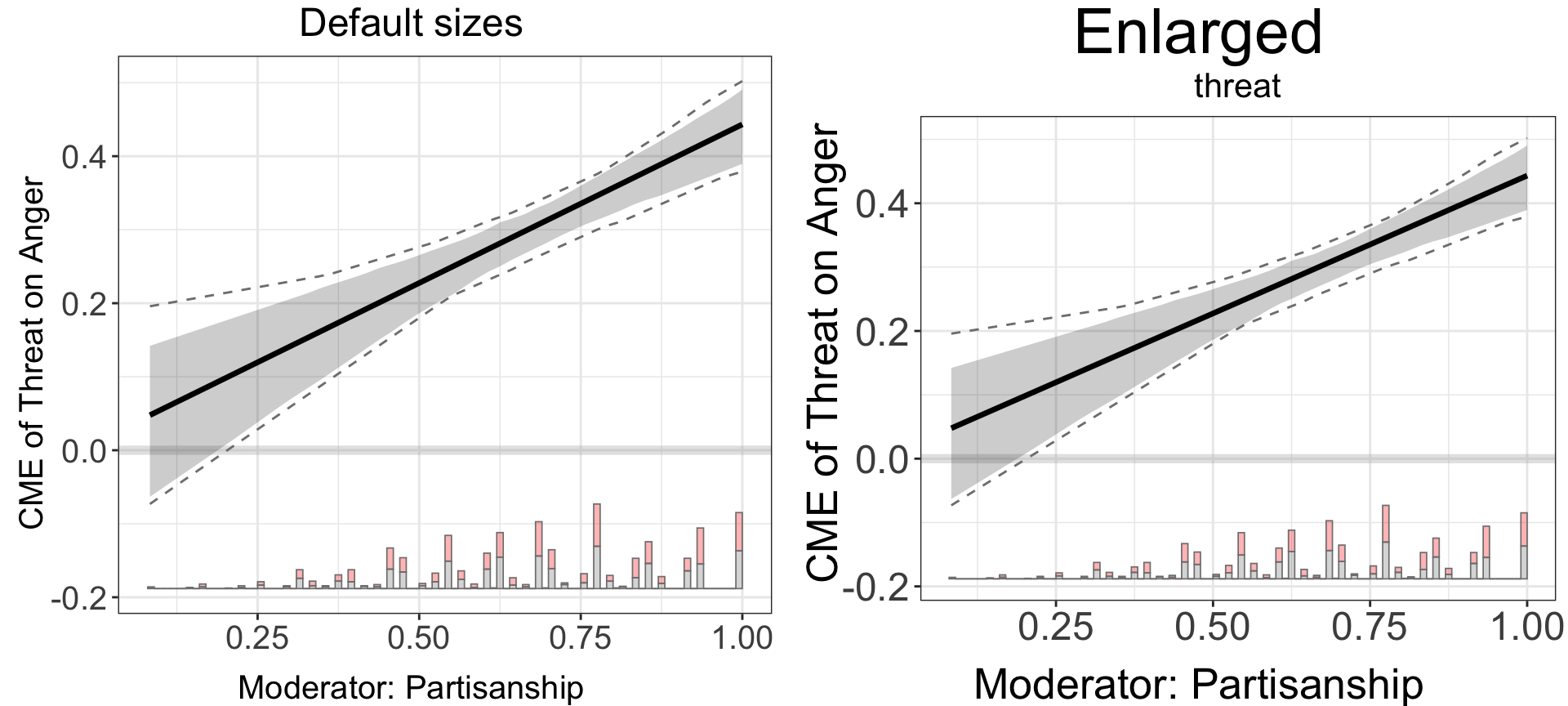
7.9 Font Sizes
| Parameter | Purpose |
|---|---|
cex.main |
Main title size |
cex.sub |
Subtitle size |
cex.lab |
Axis title size |
cex.axis |
Tick label size |
All four in one demo so scaling is visible.
7.10 Layout and Output
| Parameter | Purpose |
|---|---|
ncols |
Number of columns in multi-panel layouts |
scale |
Overall figure scaling |
height / width
|
Dimensions when saving to file
|
file |
Path to save the figure |
7.10.1 ncols
With s5.binning (two non-baseline arms), ncols = 1 stacks them vertically.
plot(s5.binning, ncols = 1)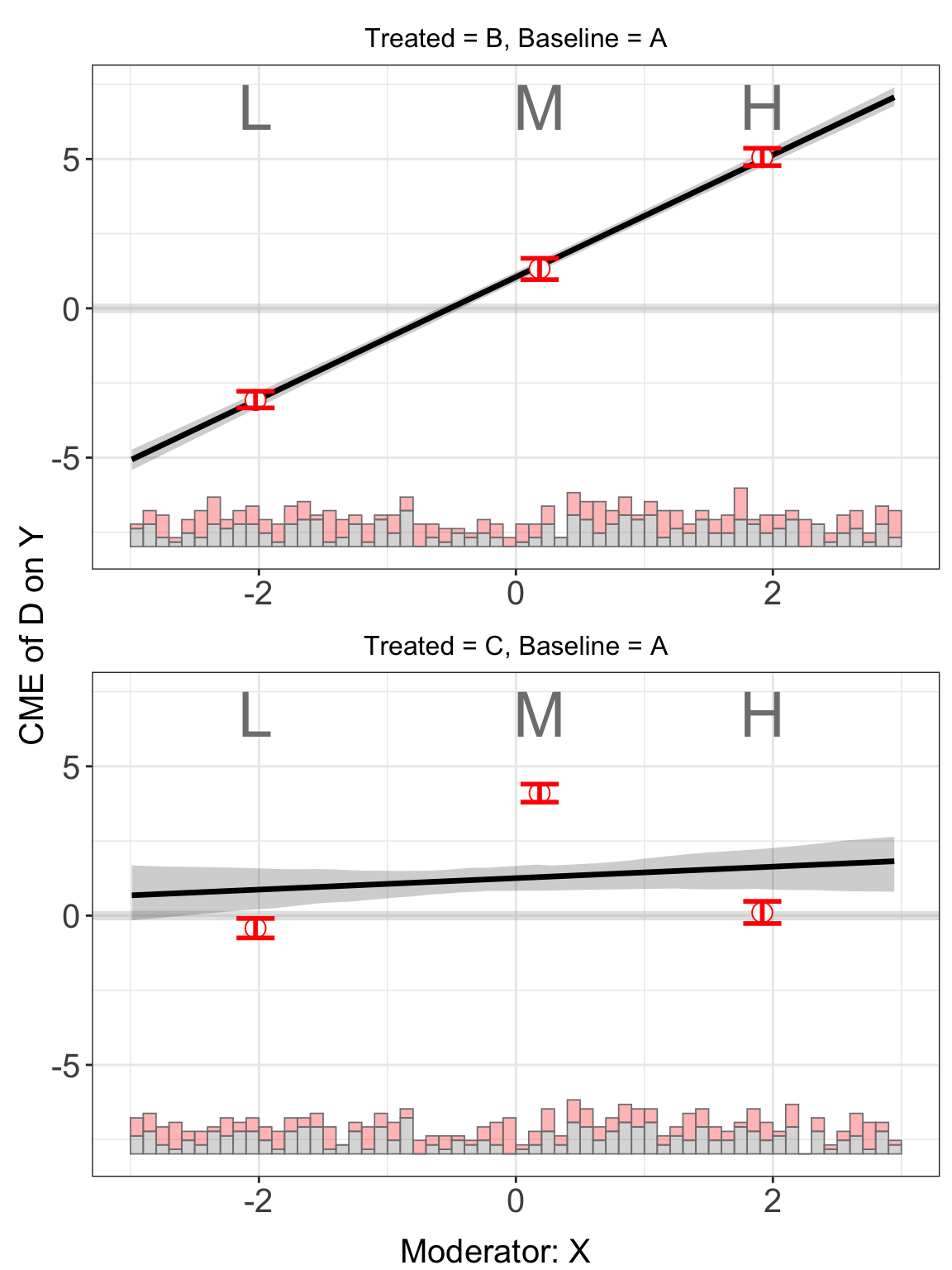
7.10.2 scale, height, width, file
scale multiplies overall figure size; height, width, and file are passed through to ggsave() when a path is supplied. They do not affect the inline rendering in this book, so they are documented without a demo — a typical usage is:
plot(linear.out.1,
     file   = "linear_effect.pdf",
     width  = 8,
     height = 5,
     scale  = 1.2)